
How to build a fomo copy trading bot with AI, using Claude and the pumpfomo skill
Build a fomo.family copy trading bot with AI. Add the pumpfomo skill to Claude, pick traders worth copying, follow them live and filter their buys, on paper first.
7 min read
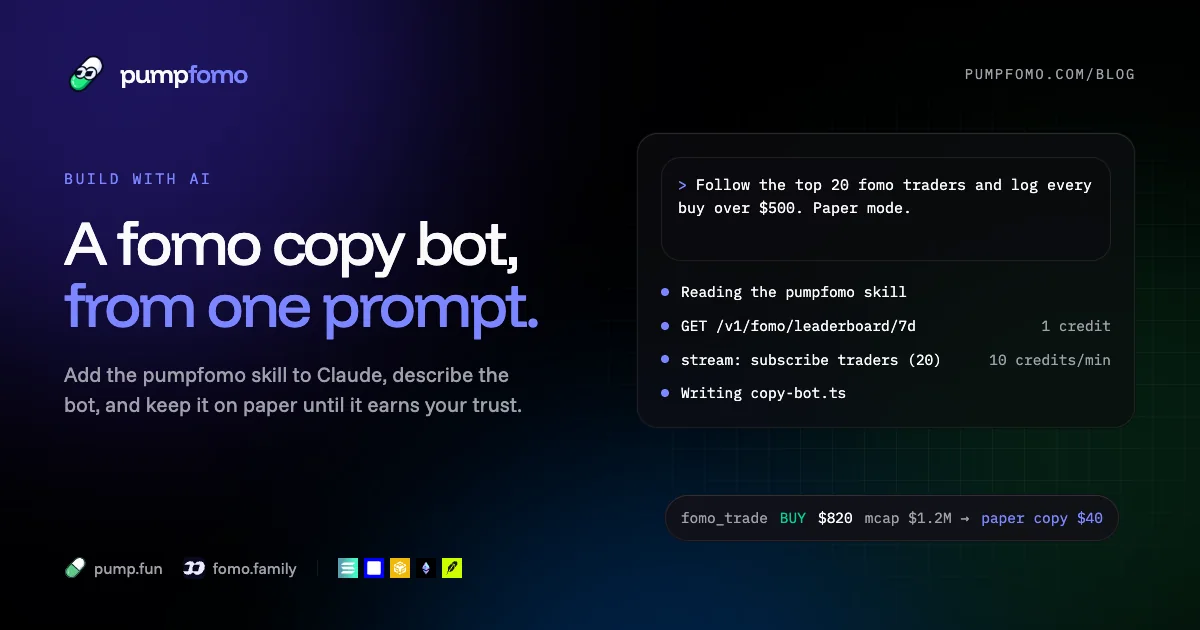
You can now describe a fomo copy trading bot in a paragraph and have an AI write most of it. The hard part was never the typing. It's knowing which traders are worth copying, getting their trades the moment they happen, and not copying the ones you shouldn't. An assistant can do all of that well, but only if it knows the data it's working with.
That's what this guide is about. We'll give Claude the pumpfomo skill, so it knows every endpoint, what each one costs and how the live stream behaves. Then we'll build a fomo.family copy trading bot with it, one prompt at a time: pick traders, follow them live, filter their buys, and log what the bot would have done. It won't place trades. pumpfomo is a read-only data API, and the decision to send real orders from your own wallet should come later, after the paper log has earned it.
What you need
- Claude, either Claude Code in a terminal or the Claude app. Cursor and other assistants work too; they read the same reference through llms.txt.
- A pumpfomo key from the dashboard. The Free plan (2,500 credits a month) covers everything here except the live stream. The stream comes with Builder and up.
- Node.js 20 or newer.
Step 1: give Claude the skill
A skill is a folder of instructions Claude reads when a task calls for it. Ours has the endpoint list with costs, a small client in TypeScript and Python, how to retry, the stream's channels and messages, and one reference file per group of endpoints with a real example answer for each. Claude opens a reference file only when it needs one, so a question about one endpoint doesn't pull in the example answers of all 105.
For Claude Code, install it once for every project:
mkdir -p ~/.claude/skills
curl -fsSL https://pumpfomo.com/pumpfomo-skill.zip -o /tmp/pumpfomo-skill.zip
unzip -o /tmp/pumpfomo-skill.zip -d ~/.claude/skills
Or unzip it into a project's .claude/skills and commit it, so the whole team gets it. In the Claude app, download the zip and upload it under Settings, Capabilities, Skills. The Build with AI page has the links and a first prompt to try.
Step 2: keep the key out of the chat
Make a folder for the bot and put the key in a .env file:
mkdir fomo-copy-bot && cd fomo-copy-bot
echo "PUMPFOMO_API_KEY=pf_live_..." > .env
echo ".env" >> .gitignore
Don't paste the key into the prompt. The skill already tells Claude to read it from PUMPFOMO_API_KEY and never print it, and that's what you want: a key in a chat log or a commit is a key someone else can spend.
Step 3: the first prompt
Short prompts get short bots. This one is specific about what to build and what not to:
Use the pumpfomo skill. Build a Node.js + TypeScript copy trading bot for fomo.family,
in paper mode only (log every decision, never trade).

1. Pick traders: take fomo.family's 7-day leaderboard, then keep only traders who are
   also positive over 30 days and whose week isn't one lucky day. Stop at 20.
2. Follow them live on the pumpfomo stream (the traders channel). Reconnect on close.
3. For each buy of $500 or more, check the token's market cap and fomo.family's
   warnings for it, then log a paper copy of 5% of their size, capped at $40.
4. When a followed trader sells a token we hold on paper, log the exit.
5. Write every decision, with the reason for skipped ones, to trades.jsonl.
Print the credits each REST call cost.
Claude will read the skill, look up the endpoints for each step and write a plan before any code. Read the plan. It's the cheapest place to catch a wrong idea.
Step 4: picking traders worth copying
A leaderboard is a list of who did well, not of who will. On a 7-day board, the top is often one trader with one position that ran. When we captured the examples for our own API reference, the number one trader on fomo.family's 7-day board was more than $9 million down over 30 days. Copying that week would have meant copying the tail end of a much worse month.
So the bot checks each candidate before following them. The code Claude writes for this will look close to this:
import { pf } from "./pf" // the small client from the skill: auth, retries, errors

type Leader = { userHandle: string; displayName: string; pnl7d: number; numTrades: number }
type Rank = { rank: number; pnl: number }
type Ranks = { rank24h?: Rank; rank7d?: Rank; rank30d?: Rank }

const { leaderboard } = await pf<{ leaderboard: Leader[] }>("/v1/fomo/leaderboard/7d")

const picked: string[] = []
for (const t of leaderboard.slice(0, 60)) {
  const r = await pf<Ranks>(`/v1/fomo/users/${t.userHandle}/rank`)
  const week = r.rank7d?.pnl ?? 0
  const month = r.rank30d?.pnl ?? 0
  const today = r.rank24h?.pnl ?? 0
  // green over the week and the month, and the week isn't just today
  if (week > 0 && month > 0 && today < week * 0.8) picked.push(t.userHandle)
  if (picked.length === 20) break
}
The leaderboard costs 1 credit and each rank lookup 2, so picking 20 traders from the top 60 costs at most 121 credits. Run it once a day, not on every start.
Notice that the field is pnl7d on the 7-day board and the ranks come in rank7d, rank30d and rank24h. fomo.family names its fields its own way, and pumpfomo passes them through as they are. The skill tells Claude to read each endpoint's example answer before writing a type. If you see an assistant guess a name like pnl_7_days, tell it to check the reference. It will fix it.
Two more checks are worth asking for once the basics work. A trader's PnL chart shows whether the gains are steady or a single spike, and their trades sorted by PnL show whether one token carries the whole record.
Step 5: following them live
Polling 20 profiles for new trades is slow, and it spends credits to find out nothing happened. The stream sends each trade once, when it happens. One connection carries every channel, and the traders channel takes up to 100 fomo.family handles:
import WebSocket from "ws"

function connect(handles: string[], attempt = 0) {
  const ws = new WebSocket("wss://api.pumpfomo.com/v1/stream", {
    headers: { Authorization: `Bearer ${process.env.PUMPFOMO_API_KEY}` },
  })
  ws.on("open", () => {
    attempt = 0
    ws.send(JSON.stringify({ op: "subscribe", channel: "traders", fomo: handles, replay: false }))
  })
  ws.on("message", (raw) => {
    const m = JSON.parse(raw.toString())
    if (m.type === "subscribed" && m.fomoNotFound?.length) console.warn("unknown handles:", m.fomoNotFound)
    if (m.type === "fomo_trade") queue.push(m) // decide off the handler
  })
  ws.on("close", (code) => {
    if (code === 4003) return console.error("this plan has no free stream")
    setTimeout(() => connect(handles, attempt + 1), Math.min(30_000, 1000 * 2 ** attempt))
  })
}
Each fomo_trade carries kind (buy, sell or thesis), amountUsd, marketCapUsd, the token (address, chain, ticker) and the trader (handle, displayName). replay: false skips the recent events the stream would otherwise send on subscribe, which a copy bot doesn't want to act on.
One thing to insist on: the message handler only queues. The checks in the next step make HTTP calls, and a handler that waits on them falls behind. The stream closes a connection that stops reading (code 4008), so slow work belongs somewhere else.
Step 6: deciding what to copy
Most of a copy trading bot is the list of reasons not to copy. Here are the ones we'd start with:
type FomoTrade = {
  kind: "buy" | "sell" | "thesis"
  amountUsd: number
  marketCapUsd: number
  token: { address: string; chain: string; ticker: string }
  trader: { handle: string }
}

const held = new Map<string, { trader: string; usd: number }>() // token → our paper position

async function decide(m: FomoTrade) {
  const { address, chain, ticker } = m.token
  if (m.kind === "sell" && held.get(address)?.trader === m.trader.handle) {
    held.delete(address)
    return log("exit", m, "the trader sold")
  }
  if (m.kind !== "buy") return
  if (m.amountUsd < 500) return log("skip", m, "too small to mean much")
  if (m.marketCapUsd < 100_000) return log("skip", m, "too thin to get the same price")
  if (held.has(address)) return log("skip", m, "already in")

  const w = await pf<{ disableBuying: boolean; disableSelling: boolean; warnings: unknown[] }>(
    `/v1/fomo/tokens/${chain}/${address}/warnings`
  )
  if (w.disableSelling || w.warnings.length) return log("skip", m, "fomo.family warns about it")

  const usd = Math.min(40, m.amountUsd * 0.05)
  held.set(address, { trader: m.trader.handle, usd })
  log("copy", m, `paper buy of $${usd.toFixed(2)} in ${ticker}`)
}
The warnings lookup costs 2 credits, and it only runs for buys that made it past the cheap checks. A token where fomo.family blocks selling is the one you most want to stay out of.
Copying 5% of their size, capped at $40, is a placeholder. The point is to have a cap from day one. Otherwise the first time a trader you follow buys $80,000 of something, your bot will want to buy $4,000 of it.
Step 7: run it on paper, then read the log
Start it and leave it alone for a few days:
npx tsx copy-bot.tsEvery line in trades.jsonl is a decision with a reason. After a week, ask Claude to read it with you: which traders' buys you would have copied, what those tokens did afterwards (the candles endpoint has the prices), and which filters threw away trades that worked. It's the most useful prompt in this whole guide, because it turns the bot from code into evidence.
Where AI assistants usually go wrong
Claude writes good code here, but a few mistakes come up often enough to watch for:
- Polling instead of the stream. If the bot fetches traders' trades in a loop, ask for the
traderschannel. It's faster and costs nothing per message. - Made-up field names. Point it at the endpoint's reference file or its Markdown page (every reference page is at
/docs/<id>.md). The real answer is the only source of field names. - Retrying the wrong errors. 429 and 5xx should be retried, with the
Retry-Afterheader. 402 (out of credits or wallet reveals), 403 (missing scope) and stream close 4003 won't fix themselves, so the bot should stop and say why. - A key in the code. If it ever writes
pf_live_into a file, stop it. The key comes from the environment. - Jumping to real trades. Assistants are eager to finish the job. Keep "never trade" in the prompt until you've decided otherwise.
What it costs to run
The stream is most of it: 10 credits a minute while it's open, about 432,000 credits for a month around the clock. The REST side is small: picking 20 traders once a day is about 120 credits, and if 100 buys a day pass the cheap filters, their warning checks are 200 more, under 10,000 credits a month. Together that's about 442,000, inside Builder's 500,000. If you only need the bot during the hours you trade, close the stream the rest of the time and the credits go a lot further.
Frequently asked questions
Can Claude place trades for me with pumpfomo?
No. pumpfomo only reads data: it doesn't hold funds, sign transactions or send orders. If you decide to trade, that code runs with your own wallet and keys. Keep it separate from the data side and capped.
Does this work with Cursor, ChatGPT or other assistants?
Yes. The skill is for Claude, but the same reference is published as plain text for any assistant: llms.txt for the index, llms-full.txt for everything in one file, and a Markdown version of every reference page. Each page also has a Copy page button.
Which plan do I need for a fomo copy trading bot?
The live stream needs Builder or above. You can write and test the trader-picking part on the Free plan, which has 2,500 credits a month. Plans are paid in USDC, monthly or yearly.
Is the pumpfomo skill free?
Yes. The skill and the Markdown reference are free to download and use. The API calls the bot makes are billed in credits like any other call.
Can the same bot follow pump.fun traders?
Yes. The traders channel takes pump.fun user ids or wallets in pump next to the fomo.family handles in fomo, and pump.fun trades arrive as trade messages. Our pump.fun copy trading bot guide covers picking pump.fun traders from their PnL and callouts.
Try it on real data, free.
2,500 credits a month, wallet or Telegram sign-in, no card. Every endpoint in these guides works on the Free plan; streams start at Builder.
More guides
8 min read
The pump.fun callouts API and the fomo.family thesis API: reading trader calls, and checking them
Read pump.fun callouts and fomo.family theses over one API: each caller's hit rate, the market cap at every call, how followers did, and live alerts. With code.
Read the guide
8 min read
The pump.fun API in 2026: what exists, what doesn't, and how to use it
Does pump.fun have a public API? What its apps call, which pump.fun data you can get (profiles, trades, PnL, callouts) and how to start with curl and Python.
Read the guide
6 min read
The fomo.family API: trader profiles, swaps, PnL and leaderboards from the fomo app
fomo.family has no public API. Here is what fomo data exists (traders, swaps, PnL, leaderboards, clans, theses) and how to read it with one key, with code.
Read the guide
7 min read
The pump.fun WebSocket API: stream every trade, new coin and callout as it happens
Stream pump.fun trades on Solana and 11 EVM chains, new coins, callouts and fomo.family traders over one WebSocket. Channels, filters and Node and Python code.
Read the guide