
An open-source Telegram alert bot for pump.fun and fomo.family
A ready-made Telegram bot that alerts you the moment the traders you follow buy or sell on pump.fun or fomo.family, plus big trades, callouts and new coins. Commands in the chat, a live dashboard, open source, with a demo.
20 min read
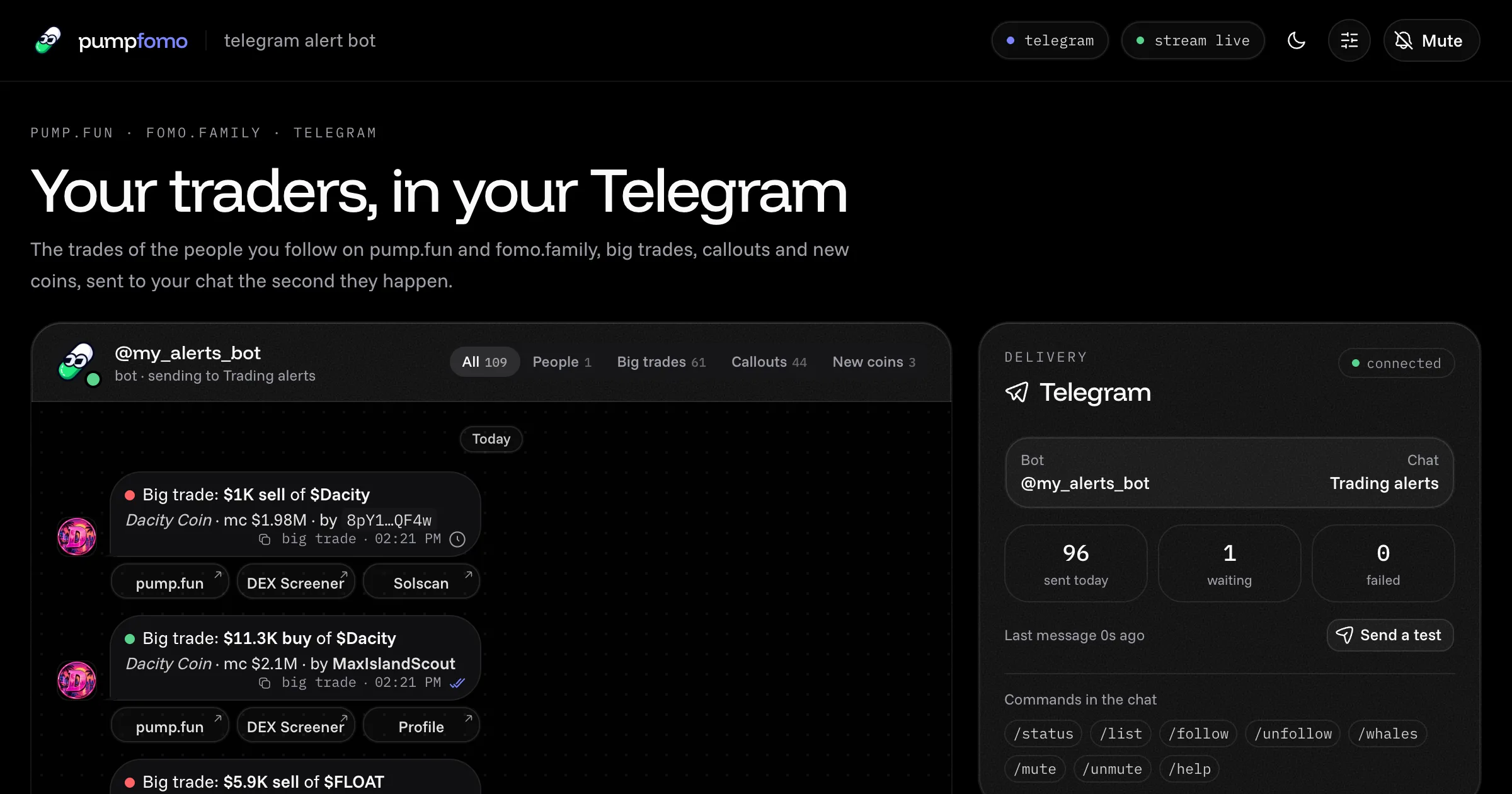
You can't watch pump.fun and fomo.family all day, but a bot can. This one messages your Telegram the second something happens:
- a trader you follow buys or sells;
- someone makes a big trade;
- a coin gets called out;
- a coin launches with a name you're watching for.
Each message names the coin, its market cap and the trader, with buttons to the coin, the chart and their profile.
It's a complete Next.js app, open source under MIT. Without a bot token it runs in preview and shows every alert on its dashboard, so you can tune it before anything reaches your phone. Open the live demo to see the alerts it would send right now, or download the code (it's also on GitHub).
What it does
- Follows people on both platforms:
- pump.fun traders by username, wallet, user id or profile link. A trader with a profile is followed on every wallet they use.
- fomo.family traders by handle or profile link.
- Anyone from either platform's leaderboard, in one click.
- Sends four kinds of alert. Each is a rule with its own switch:
- People you follow: their buys and sells from a size you choose, and fomo.family theses with the trader's words.
- Big trades: anyone's pump.fun trade over a size, on every coin or only on your watchlist, on the chains you pick.
- Callouts: pump.fun callouts from a market cap at the call, with the caller's thesis.
- New coins: launches whose name or symbol has one of your keywords.
- Writes compact messages. Each one names the coin, its market cap and the trader, and carries up to three buttons: pump.fun, DEX Screener, and the trader's profile or Solscan.
- Keeps to Telegram's pace. It sends about one message a second to a person and 20 a minute to a group. When alerts come faster, the waiting ones go out together as one digest message, so nothing is lost and your chat isn't flooded.
- Takes commands in the chat.
/follow,/unfollow,/list,/whales 25000,/mute 60,/statusand/help, from your chat only. - Shows everything on a dashboard. Every alert appears as a message bubble, exactly as sent, marked sent, waiting, in a digest, muted, preview or refused.
- Needs no public address. It asks Telegram for new commands itself (long polling), so it runs behind a home router. The dashboard answers on
127.0.0.1only.
Try the live demo
The demo runs the same app in a read-only mode:
- It follows the week's top 10 traders on pump.fun and the top 10 on fomo.family, with live data.
- Big trades from $2,000 and callouts from a $250,000 market cap are switched on too.
- Every alert shows as the message your chat would get, with its buttons.
- It sends nothing to Telegram. Nobody can change who it follows, its rules, or the mute.
- Alerts with slurs or hate terms in a coin name, thesis or trader name are left out.
Your own copy sends to your chat, and all of that is yours to change.
What you need
| What | Why |
|---|---|
| Node.js 22 or newer | The app uses Node's built-in WebSocket and fetch. |
A pumpfomo API key with the stream scope |
Streams come with the Builder plan and up: $149 a month, or $1,249.90 a year. Free and Starter keys can't open a stream. See pricing. |
| A Telegram bot token (to send) | Free from @BotFather in Telegram. Without one, the app runs in preview. |
| A machine that stays on | A VPS, a home server or a container. The bot lives in the app's server process. |
Each running app holds one stream. To run this bot and, say, the pump.fun copy trader at the same time, you need two streams, which is the Growth plan.
Create the key at pumpfomo.com/dashboard. New keys have every scope unless you limit them.
Quick start
1. Run it in preview
curl -LO https://pumpfomo.com/downloads/telegram-alert-bot.zip
unzip telegram-alert-bot.zip
cd telegram-alert-bot
npm install
cp .env.example .env.local
Open .env.local and set at least:
PUMPFOMO_API_KEY=pf_live_...   # with the stream scope
FOLLOW_TOP=10                  # the week's top 10 on pump.fun and on fomo.family
Then start it:
npm run devOpen http://127.0.0.1:3002. The header says PREVIEW and stream live. Within a minute the people you follow fill in with their pictures and 7-day PnL, and alerts start showing as chat messages. For a production build, use npm run build && npm start on the same address.
2. Create your bot with BotFather
- In Telegram, open @BotFather and send
/newbot. - Give the bot a display name, then a username that ends in
bot, such asmy_alerts_bot. - BotFather replies with a token like
123456789:AA…. Treat it like a password. - Put it in
.env.localasTELEGRAM_BOT_TOKEN, and restart the app.
The dashboard's Telegram card now shows your bot's username. When it starts, the bot sets its command menu, so the commands show up when you type / in its chat.
3. Pick the chat
The bot needs to know where to send alerts. It doesn't guess: you pick the chat.
- Send
/startto your bot in a private chat. In a group, add the bot first and send/start@yourbotthere. - The bot replies with that chat's id, and the chat appears in the dashboard's Telegram card.
- Press Use this chat. Or put the id in
.env.localasTELEGRAM_CHAT_IDand restart.
Group ids are negative and start with -100. A channel is set by name instead, as TELEGRAM_CHAT_ID=@yourchannel, with the bot added as an admin.
4. Send a test
Press Send a test in the Telegram card. A short "is connected" message should arrive within a second. From then on, every alert does too, and the header switches from PREVIEW to telegram.
Configuration
Keys, Telegram and the first-run follow list are set in .env.local. The rules start from .env.local too. Once you change them in the dashboard, they're saved in data/settings.json, which wins from then on. Delete that file to go back to .env.local.
Keys and Telegram
| Variable | Default | What it does |
|---|---|---|
PUMPFOMO_API_KEY |
– | Your pumpfomo key. It needs the stream scope. |
TELEGRAM_BOT_TOKEN |
– | Your bot's token from @BotFather. Empty: preview only. |
TELEGRAM_CHAT_ID |
– | Where alerts go: a chat id, a group id (-100…) or @yourchannel. Empty: pick the chat in the dashboard. |
TELEGRAM_OWNER_ID |
– | Your numeric Telegram user id. When it's set, only you can change the bot from a group. |
Who to follow on the first run
These only apply while the follow list is empty. After that, use the dashboard or /follow.
| Variable | Default | What it does |
|---|---|---|
FOLLOW_PUMP |
– | pump.fun traders: usernames, wallets, user ids or profile links, comma separated. 1 credit each to look up, once. |
FOLLOW_FOMO |
– | fomo.family traders: handles or profile links, comma separated. |
FOLLOW_TOP |
0 |
Also follow the top N of each platform's weekly leaderboard. |
People you follow
| Variable | Default | What it does |
|---|---|---|
PEOPLE |
true |
Alerts for the people you follow. |
PEOPLE_SIDE |
both |
both, buy or sell. |
PEOPLE_MIN_USD |
0 |
Skip their trades under this size, in USD. |
THESES |
true |
fomo.family theses from the people you follow. |
Big trades
| Variable | Default | What it does |
|---|---|---|
BIG_TRADES |
false |
Alerts for anyone's big pump.fun trades. |
BIG_TRADE_SCOPE |
all |
all coins, or only your watchlist. |
BIG_TRADE_MIN_USD |
10000 |
The smallest trade. On every coin it's at least 1,000; on the watchlist any size works. |
BIG_TRADE_SIDE |
both |
both, buy or sell. |
BIG_TRADE_CHAINS |
solana |
Chains, comma separated: solana, base, bnb, ethereum, robinhood, monad, arc, xlayer, megaeth, polygon, ink, hyperevm. Empty: every chain. |
BIG_TRADE_MAX_MCAP_USD |
5000000000 |
Skip coins over this market cap, which leaves out SOL, ETH, BTC and stablecoins. 0: no limit. |
Callouts, new coins and the watchlist
| Variable | Default | What it does |
|---|---|---|
CALLOUTS |
false |
Alerts for pump.fun callouts. |
CALLOUT_SCOPE |
all |
all coins, or only your watchlist. |
CALLOUT_MIN_MCAP_USD |
100000 |
The smallest market cap at the call. |
NEW_COINS |
false |
Alerts for new coins. |
NEW_COIN_KEYWORDS |
– | Words to look for in the name or symbol, comma separated. Empty: every coin, which is about 25 a minute. |
NEW_COINS_PUMP_ONLY |
true |
Only coins launched on pump.fun itself, not other launchpads. |
WATCHLIST |
– | Coin addresses, comma separated, for big trades and callouts on the watchlist. |
Credits, storage and modes
| Variable | Default | What it does |
|---|---|---|
PROFILE_REFRESH_MIN |
720 |
How often followed people's pictures and 7-day PnL are looked up again, in minutes. 0: never. |
NAME_LOOKUPS_PER_DAY |
300 |
The most coin-name lookups a day, each up to 50 coins for 5 credits, spread evenly over the day. When none is left, alerts show the coin's address. 0 turns them off. |
HIDE_OFFENSIVE |
false |
true drops alerts whose coin name, thesis or trader name has a slur or hate term in it. |
DATA_DIR |
data |
Where the follow list, rules, alerts and coin names are kept. |
DEMO_MODE |
false |
true makes a read-only public demo. See Running it for real. |
The Rules panel
Open Rules (the sliders icon) in the header to change any rule while the bot runs. Each rule has its fields:
- People: side and smallest size, plus theses on or off.
- Big trades: scope, smallest size, side, chains and the market cap ceiling.
- Callouts: scope and smallest market cap.
- New coins: keywords, and pump.fun-only.
- Watchlist: the coin addresses.
The switches on the dashboard turn a rule on or off. Every change applies at once, with no restart.
Using the app
Private chats, groups and channels
- A private chat with your bot is the simplest choice: alerts come to you, and commands work.
- A group lets several people see the alerts. Add the bot, send
/start@yourbot, and pick the group. SetTELEGRAM_OWNER_IDto your own Telegram user id so only you can change the bot. Others can still use/status,/listand/help, and get "Only the bot's owner can change it" for the rest. - A channel only receives alerts. Add the bot as an admin and set
TELEGRAM_CHAT_ID=@yourchannel. Commands don't work in a channel, so manage the bot from the dashboard.
The bot only listens to the chat you picked. Commands from other chats are ignored, except /start, which answers with the chat's id while no chat is picked yet.
Commands in the chat
| Command | What it does |
|---|---|
/start, /help |
The list of commands. |
/status |
Whether the stream is live, who you follow on each platform, which rules are on, and today's numbers. |
/list |
Everyone you follow, with their 7-day PnL. |
/follow pump someone |
Follow a pump.fun trader by username, wallet, user id or profile link. A wallet or link works without pump. |
/follow fomo someone |
Follow a fomo.family trader by handle or profile link. |
/unfollow someone |
Stop following them. Add pump or fomo if the name is on both platforms. |
/whales 25000 |
Turn big trades on from $25,000. 25k works too. /whales off turns them off. |
/mute 60 |
No alerts for 60 minutes (1 to 10,080). They still show on the dashboard. Without a number, it's an hour. |
/unmute |
Alerts on again. |
The bot's replies go to the front of the queue, so they don't wait behind alerts.
The four rules
All four rules share one connection to the pumpfomo stream. Each rule is one channel of it:
- People you follow uses the
traderschannel, with up to 1,000 pump.fun traders and 100 fomo.family traders. A followed trader's trade is sent once, as theirs, even when it's also a big trade. - Big trades uses the
tradeschannel. On every coin, the stream sends trades from $1,000 up, so that's the smallest size you can set. On your watchlist, any size works, but only those coins come through. - Callouts uses the
calloutschannel. Flagged callouts are skipped, and each alert carries the caller's thesis. - New coins uses the
coinschannel. About 25 coins launch a minute, so give it keywords.
The stream takes one filter per channel. So big trades are on every coin or your watchlist, not both at once, and the same goes for callouts.
What an alert looks like
🟢 faceofsol bought $PEPE · $1.2K
Pepe · mc $98.2K
[ pump.fun ] [ DEX Screener ] [ Profile ]

🔴 Big trade: $12.4K sell of $MAX
Max coin · mc $46.8K · by 24Lr…BjCJ
[ pump.fun ] [ DEX Screener ] [ Solscan ]

mademillions called $FLC at $286K mc
"Im in lfg"
Fly Cat
[ pump.fun ] [ DEX Screener ] [ Profile ]
Messages are sent as HTML. The only emoji are 🟢 for a buy and 🔴 for a sell. Everything that comes from a trader or a coin is escaped, and link previews are off, so each message stays one compact card.
Pacing and digests
Telegram limits how fast a bot may post: about one message a second to a person, and 20 a minute to a group or channel. The app keeps to that:
- Alerts wait their turn in a queue and go out one at a time.
- If six or more are waiting, or one has waited a minute, they go out together as one digest message that lists them.
- If Telegram answers
429 Too Many Requests, everything waits for theretry_afterit gives, then the message is sent again. - If Telegram refuses a message for another reason, the dashboard shows why on that alert.
The dashboard
| Section | What it shows |
|---|---|
| Header | Preview or Telegram, the stream's state, credits left, light or dark, Rules and Mute. |
| Stats | Alerts today by rule, sent to Telegram, sent in digests, and how many people you follow. |
| Alerts | Every alert as a chat message with its buttons and a delivery mark. Filter by rule with the tabs. |
| Telegram | Your bot and chat, today's sent, waiting and failed, Send a test, and the chats that wrote to the bot, to pick one. |
| Rules | The four rules with their switches. Click one to edit it. |
| Who you follow | Two tabs. Following lists people on both platforms with pictures and 7-day PnL. Leaderboards lets you follow anyone in one click. |
How it works
- At start, the app checks your key with
GET /v1/ping(free). If the follow list is empty, it adds the people fromFOLLOW_PUMP,FOLLOW_FOMOandFOLLOW_TOP. - It opens one stream to
wss://api.pumpfomo.com/v1/streamand subscribes one channel per rule that's on. When you change a rule or the follow list, it sends that channel's subscription again, replacing the old filter. - Each message from the stream (
trade,fomo_trade,calloutorcoin) is checked against the rules: side, size, market cap, scope, keywords and mute. - A pump.fun trade only carries the coin's address, so the app names new coins with
POST /v1/pump/coins/batch. It gathers up to 50 coins and asks for them together, and keeps the answers on disk, so a coin is only looked up once. - The alert is written as lines with buttons. The same lines become the bubble on the dashboard and the HTML message for Telegram.
- The sender puts it in the queue, keeps Telegram's pace, folds bursts into digests and waits out 429s.
- In the background, the app asks Telegram for new messages with long polling and answers commands. Every 12 hours it refreshes followed people's pictures and PnL.
- The dashboard follows all of this live through server-sent events from
/api/events.
If the stream drops, the app reconnects with a growing wait and sends its subscriptions again.
Project layout
| Path | What's in it |
|---|---|
app/page.js |
The dashboard, live through /api/events. |
app/api/…/route.js |
State, events, follows, rules, mute, leaderboards, and the Telegram test and chat picker. |
components/dashboard/ |
Header, stats, alerts, Telegram card, rules, people and setup. |
components/ui/ |
shadcn/ui components. |
instrumentation.js |
Starts the bot once when the Next.js server starts. |
lib/runtime.js |
The one bot per server: stream, rules, coin names, delivery and commands. |
lib/alerts.js |
Stream messages to alerts to Telegram messages. |
lib/telegram.js |
The Bot API: pacing, digests, 429s and long polling. It has no dependencies. |
lib/people.js |
Following on pump.fun and fomo.family, profiles and leaderboards. |
lib/settings.js |
The rules the dashboard and the chat can change, with their limits. |
lib/config.js, lib/store.js |
.env.local, and the JSON files in DATA_DIR. |
lib/clean.js |
The slur and hate-term filter. |
lib/guard.js |
The localhost-only check for the API routes. |
lib/pumpfomo/ |
A small pumpfomo client for REST and the live stream, with no dependencies. |
What it costs to run
An open stream costs 10 credits a minute, with nothing per message, and all four rules share it. Here is a month left on day and night, following 10 pump.fun and 10 fomo.family traders, with the default settings:
| What | When | Credits a month |
|---|---|---|
| The live stream | always, 10 a minute | 432,000 |
| People's pictures and 7-day PnL | every 12 hours: 6 a pump.fun trader, 2 a fomo.family one | 4,800 |
| Coin names for pump.fun trades and callouts | up to 50 coins a lookup, 5 a lookup, at most 300 lookups a day | up to 45,000 |
| Adding someone, leaderboards | when you do it, 1 each | a few |
GET /v1/ping, SOL price |
at start, and every 10 minutes | free |
| Total | about 482,000 at most |
That fits in Builder's 500,000. The coin-name line is a ceiling: with the people rule alone it's far lower, because the same coins come back. New coins and fomo.family trades carry their names, so they cost nothing extra.
To spend less:
- Lower
NAME_LOOKUPS_PER_DAY. When none is left, alerts show the coin's address instead of its name. - Set
PROFILE_REFRESH_MIN=0for no pictures or PnL refreshes. - Run the app only when you want alerts. The stream only costs while it's open.
Running it for real
On an always-on machine
The bot lives inside the Next.js server process, so it needs a machine that stays up: a VPS, a home server or a container. Build once and start it:
npm run build
npm start
To keep it running and bring it back after a reboot, use a process manager. With pm2:
npm install -g pm2
pm2 start npm --name telegram-alert-bot -- start
pm2 save
pm2 startup
Or with systemd, in /etc/systemd/system/telegram-alert-bot.service:
[Unit]
Description=Telegram alert bot
After=network-online.target

[Service]
User=you
WorkingDirectory=/home/you/telegram-alert-bot
ExecStart=/usr/bin/npm start
Restart=always
Environment=NODE_ENV=production

[Install]
WantedBy=multi-user.target
Then run sudo systemctl enable --now telegram-alert-bot. Check where npm lives with which npm, and make sure it's Node 22 or newer.
Reaching the dashboard
The bot needs no open port: it asks Telegram for commands itself. The dashboard only answers to 127.0.0.1. To see it from another machine, use an SSH tunnel instead of opening the port:
ssh -L 3002:127.0.0.1:3002 you@your-serverThen open http://127.0.0.1:3002 on your own computer.
Serverless hosts
Vercel functions and similar hosts don't keep a process running, so nothing would hold the stream open or read the bot's commands. They only suit the read-only demo.
A public, read-only demo
DEMO_MODE=true turns a copy into a showcase anyone can open:
- the dashboard answers on any address;
- following, rules, mute and test messages are refused;
- nothing is sent to Telegram, whatever the token says;
- the credit balance is hidden;
- alerts and names with slurs or hate terms are dropped.
Seed it with FOLLOW_TOP and turn on BIG_TRADES and CALLOUTS, so it has something to show. On a host whose files don't last, set DATA_DIR=/tmp/data.
In your own copy, set HIDE_OFFENSIVE=true to drop the same alerts.
The pumpfomo API behind it
| Call | What for | Credits |
|---|---|---|
wss://api.pumpfomo.com/v1/stream, channels traders, trades, callouts, coins (reference) |
every alert, live | 10 a minute |
POST /v1/pump/coins/batch |
names and logos of up to 50 coins that a trade or callout didn't name | 5 |
GET /v1/pump/users/{id} |
adding a pump.fun trader by wallet or id, and their picture | 1 |
GET /v1/pump/users/{wallet}/pnl |
a pump.fun trader's 7-day PnL | 5 |
GET /v1/fomo/users/{handle}/rank |
a fomo.family trader's picture, name and PnL | 2 |
GET /v1/pump/search/users |
adding a pump.fun trader by username | 1 |
GET /v1/pump/leaderboard |
the pump.fun leaderboard, and FOLLOW_TOP |
1 |
GET /v1/fomo/leaderboard/{window} |
the fomo.family leaderboard, and FOLLOW_TOP |
1 |
GET /v1/pump/sol-price |
new coins' market caps, every 10 minutes | free |
GET /v1/ping |
checking the key and its scopes at start | free |
The subscribe messages it sends, one per rule that's on:
{ "op": "subscribe", "channel": "traders", "pump": ["<user id or wallet>"], "fomo": ["<handle>"] }
{ "op": "subscribe", "channel": "trades", "minUsd": 10000, "chains": ["solana"] }
{ "op": "subscribe", "channel": "callouts" }
{ "op": "subscribe", "channel": "coins" }
With the watchlist scope, the trades and callouts subscriptions carry "mints": [...] instead. The pump.fun API guide and the WebSocket guide cover the rest.
Troubleshooting
"Setup: PUMPFOMO_API_KEY is not set"
Copy .env.example to .env.local, add your key, and restart the app.
"pumpfomo refused the key"
The key is wrong, revoked or expired, so pumpfomo answers 401 or 403. Copy it again from your dashboard, whole, or create a new one.
"this pumpfomo key has no stream scope"
Edit the key's scopes in the pumpfomo dashboard to include stream, or create a new key with every scope.
The stream stopped with close code 4003
Your plan has no stream, or all of its streams are open somewhere else. Streams start at Builder, and Builder allows one at a time. Stop the other app, or move to Growth for five.
The stream stopped with close code 4002
The account is out of credits. Add credits or a credit pack in the dashboard, then restart.
The stream keeps reconnecting with code 4008
The app fell behind reading messages, usually on a very slow machine or connection. Turn off the rules you don't need, especially new coins without keywords, or run it somewhere faster.
Alerts show on the dashboard but don't reach Telegram
The header says PREVIEW: add a bot token and pick a chat. Or the bot is muted: send /unmute or use the Mute button.
"Telegram refused the bot token"
Copy the token from @BotFather again, whole. If you revoked it there, get a new one with /token.
"Telegram can't open chat …"
Send /start to the bot in that chat, or add it to the group. A channel needs the bot as an admin.
"Commands are off: another copy of this bot is reading its messages"
Two copies of the app share one bot, or the bot has a webhook set elsewhere. Stop the other copy, or remove the webhook.
The bot answers old commands when it first starts
Telegram keeps a bot's messages for up to a day. On its first start, the bot reads and answers the ones still waiting. That only happens once.
Nothing shows up
The people you follow may just not be trading: check their last trade on pump.fun or fomo.family. Check the rules too. A high PEOPLE_MIN_USD, a BIG_TRADE_MIN_USD over most trades, or a watchlist scope with an empty watchlist all keep alerts away.
Coins show as an address
The coin-name lookups are spread evenly over the day, up to NAME_LOOKUPS_PER_DAY. In a burst, some alerts go out before there's a lookup left for their coin, and they show the address. A coin can also be too new to be known yet. Raise NAME_LOOKUPS_PER_DAY if it happens often and your credits allow it.
Port 3002 is already in use
Another program, or a second copy of the app, has the port. Stop it, or start this one on another port with npx next start -H 127.0.0.1 -p 3012.
Make it your own
The rules and their checks are in lib/runtime.js, the message text in lib/alerts.js, and the Telegram sender in lib/telegram.js, one file with no dependencies. Some ideas:
- Send to Discord or Slack too. The same lines turn into any chat's format, so add a second sender next to the Telegram one.
- Approve before you copy. Add a button to each alert that hands the trade to the pump.fun copy trader.
- Score the coins. Before an alert goes out, add holders or the last hour's market activity, and skip the coins that don't pass.
If you build with an AI assistant, the pumpfomo Claude skill and llms.txt give it the whole API.
Frequently asked questions
Is the bot free?
The code is free and MIT licensed, and Telegram bots are free. The live data needs a pumpfomo plan with streams, Builder or higher.
Do I need a server with a public address?
No. The bot asks Telegram for new commands itself, with long polling, so it runs behind a home router too. It does need to stay on, so run it on a VPS, a home machine or a container.
Can it post to a group or a channel?
Yes. Add the bot to the group, or to the channel as an admin, and pick that chat. Commands work in private chats and groups. A channel only receives alerts.
How do I find my Telegram user id for TELEGRAM_OWNER_ID?
Ask a user-info bot in Telegram for your numeric id, or look at the id the alert bot shows for your private chat. In a private chat, the chat id and your user id are the same number.
What happens when a lot happens at once?
Alerts wait their turn and go out as fast as Telegram allows. If six or more are waiting, they're sent together as one digest message. If Telegram asks the bot to slow down, it waits exactly as long as Telegram says.
Can it alert on any wallet, not just pump.fun profiles?
Yes. /follow takes any Solana or EVM wallet. A wallet without a profile is followed by its address, and its pump.fun trades come through.
How many people can it follow?
Up to 1,000 pump.fun traders and 100 fomo.family traders on one stream, for the same 10 credits a minute. What grows with the list is the profile refresh, which you can slow down or turn off.
Can I run it on Vercel?
Only as a read-only demo. The real bot needs a process that stays up to hold the stream open and read commands.
Try it on real data, free.
2,500 credits a month, wallet or Telegram sign-in, no card. Every endpoint in these guides works on the Free plan; streams start at Builder.
More apps
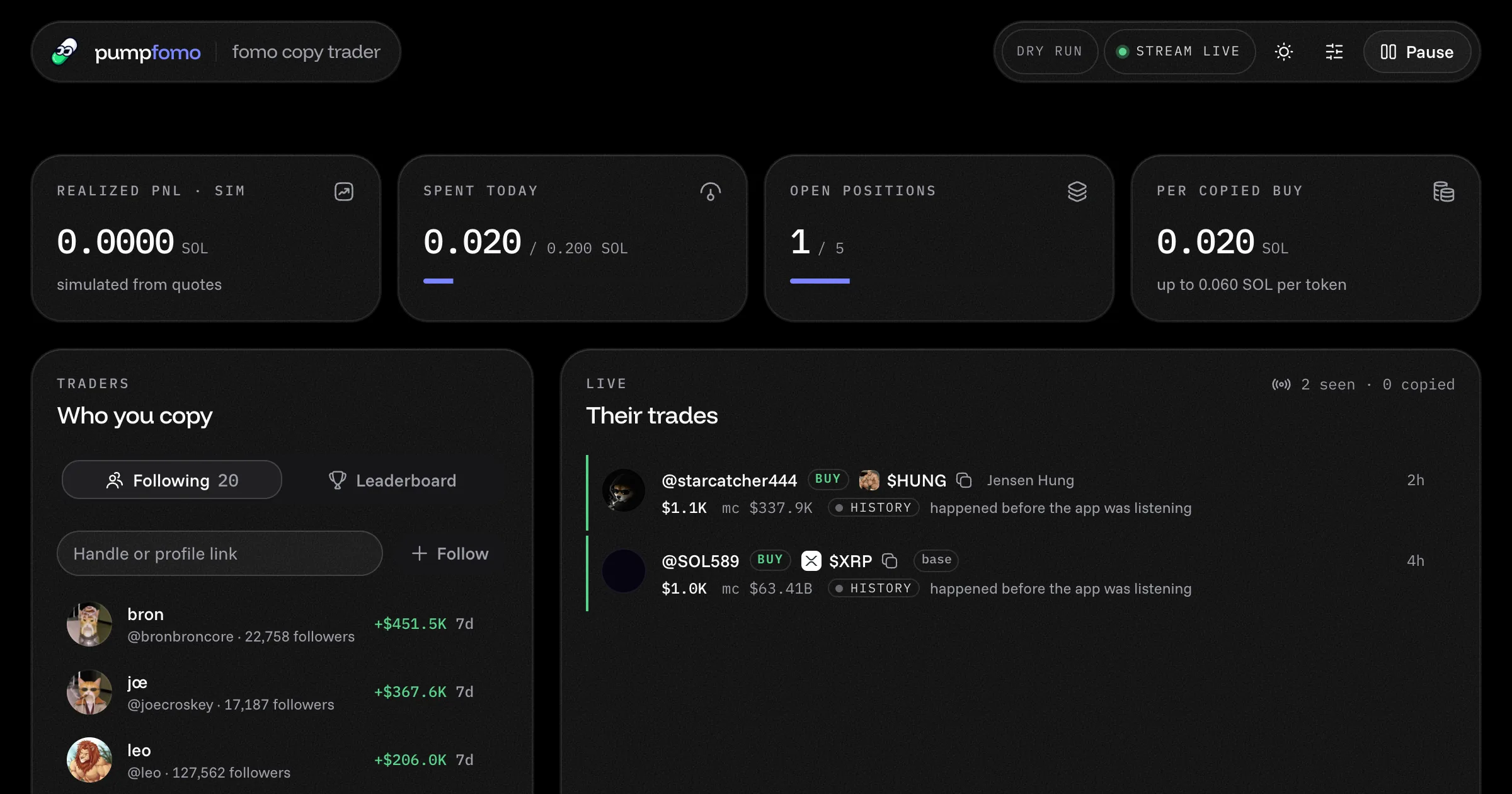
Copy fomo.family's best traders
A ready-made fomo.family copy trading bot. It follows the traders you pick, copies their Solana buys and sells within your limits, and shows everything on a live dashboard. Open source, with a live demo.
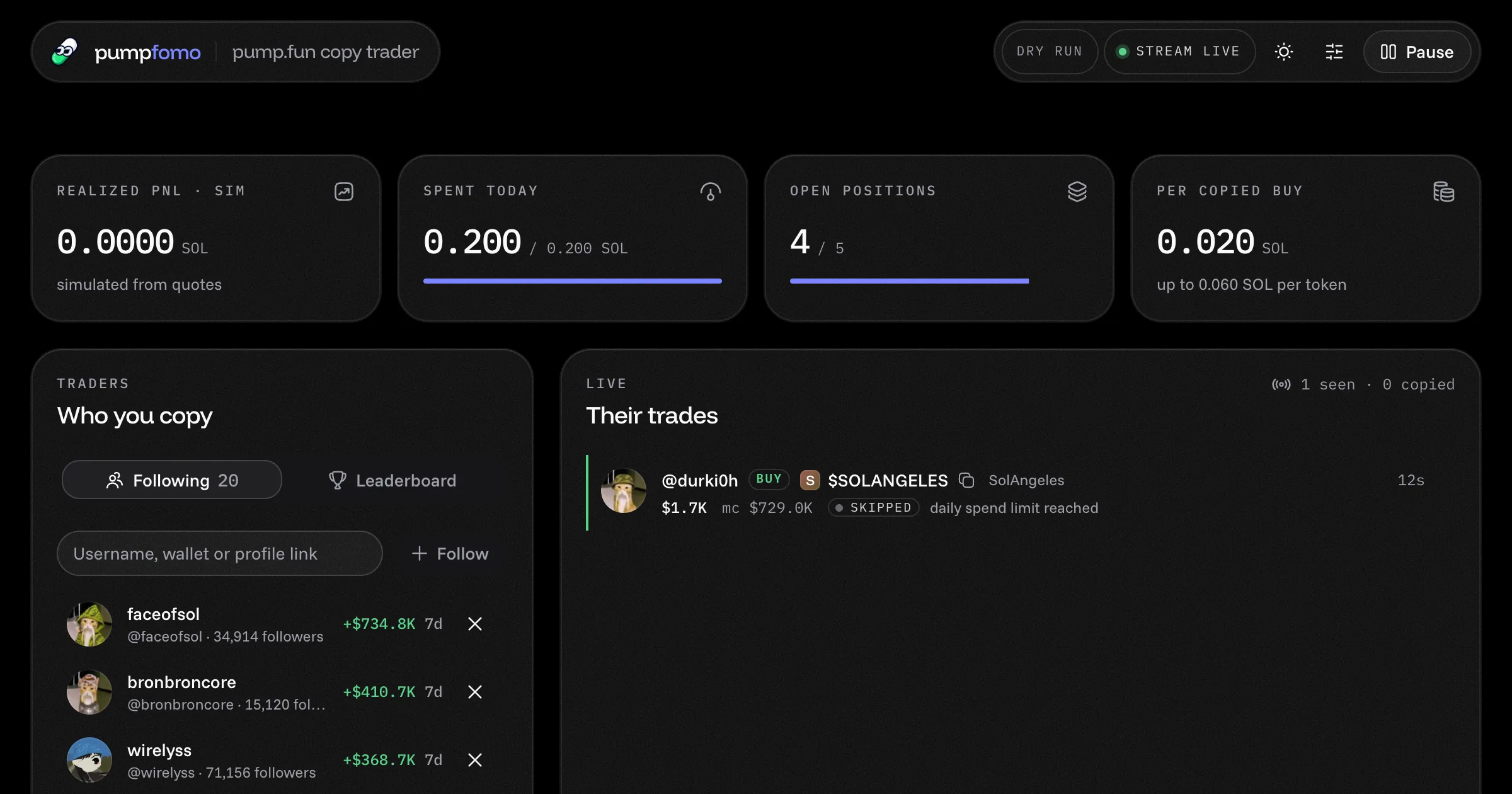
Copy pump.fun's top traders
A ready-made pump.fun copy trading bot. Follow traders by username or wallet, copy their Solana buys and sells within your limits, and watch their PnL and trades on a live dashboard. Open source, with a demo.
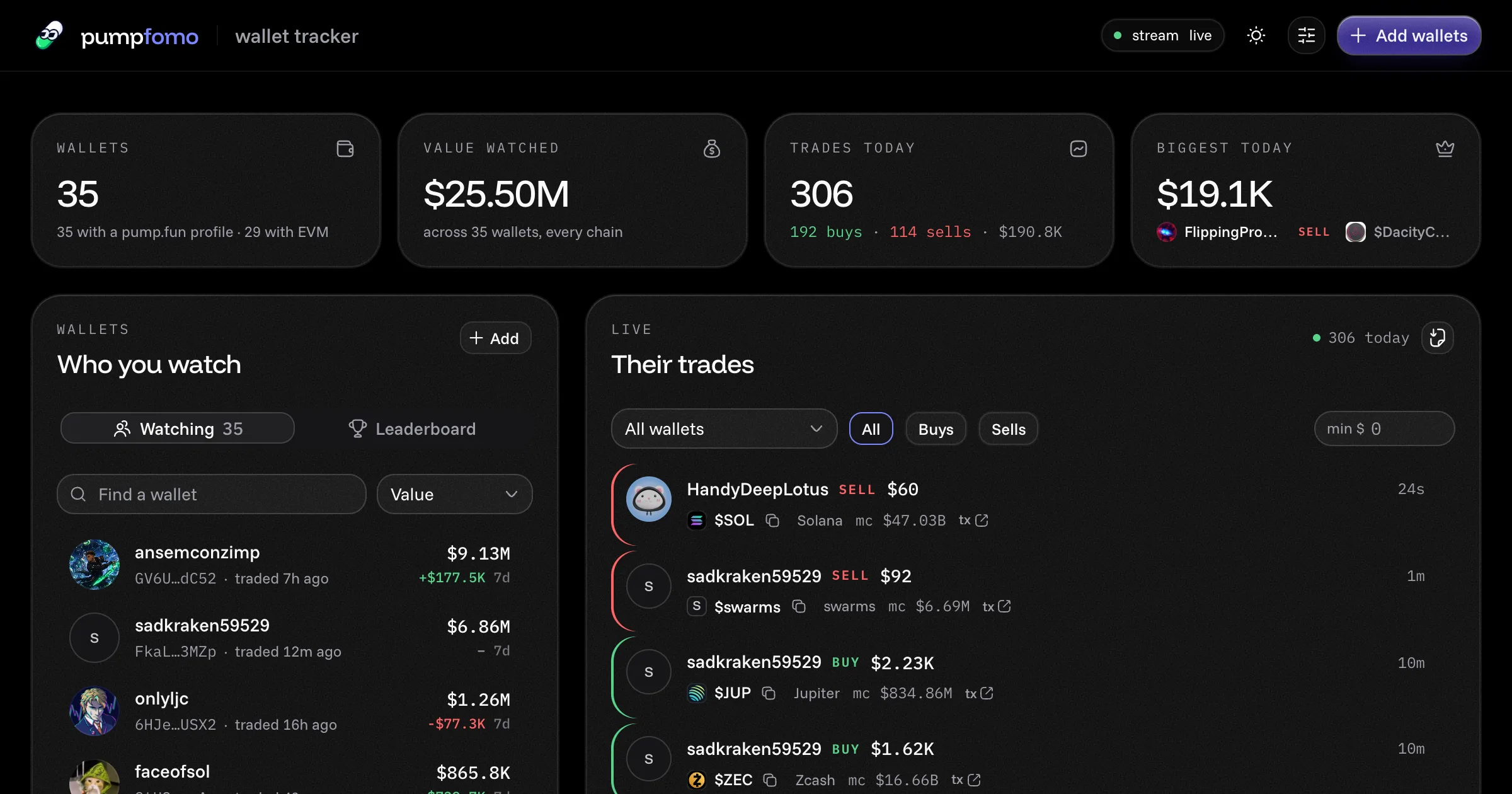
Watch any pump.fun wallet trade
A ready-made pump.fun wallet tracker. Watch any Solana or EVM wallets, see every trade they make within a second, with each wallet's value, 7-day PnL and holdings. Open source, with a live demo.
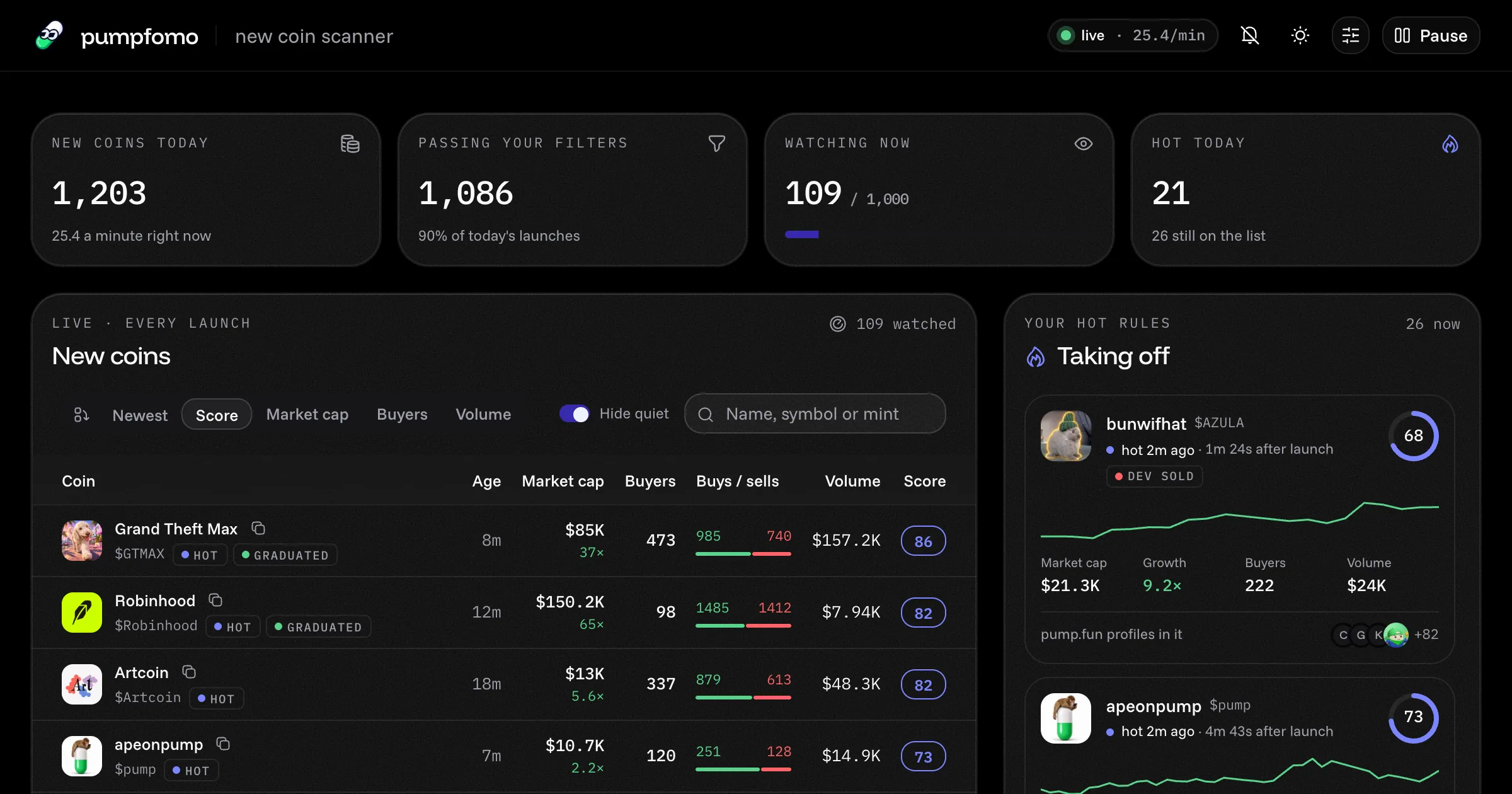
Catch new pump.fun coins as they take off
A ready-made pump.fun new coin scanner. It sees every coin the second it launches, watches its first trades live, scores its momentum and alerts you to the ones taking off. Open source, with a live demo.