
An open-source launchpad where pump.fun callouts become coins
Tag the launchpad in a pump.fun callout and ask for a coin. Claude reads the request, guardrails check it, and it launches on pump.fun as the companion of another coin, with 75% of its creator fees going to the author. Open source, with a live demo.
22 min read
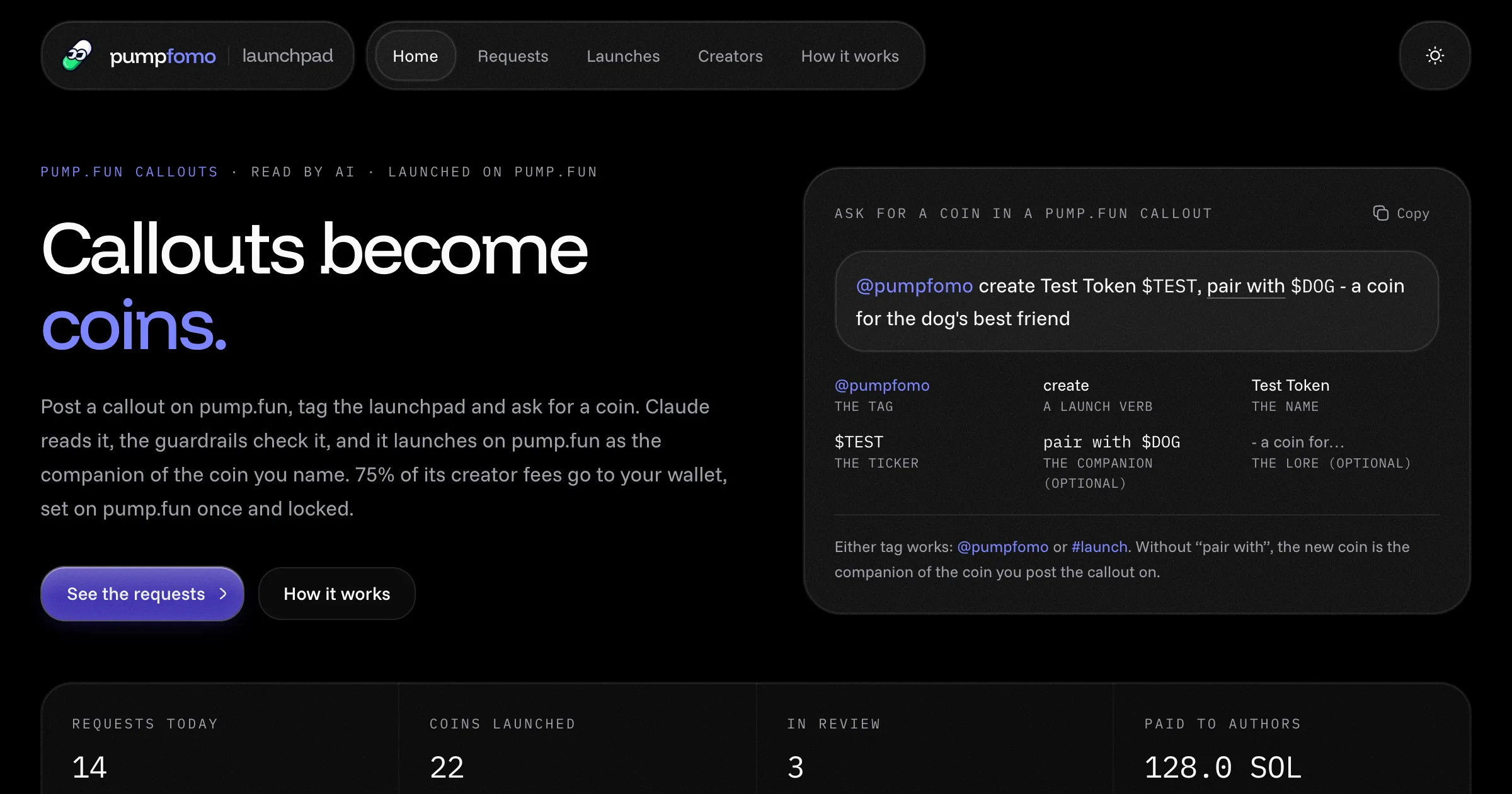
On this launchpad, nobody fills in a form. Someone posts a callout on pump.fun, tags the launchpad and asks for a coin: @pumpfomo create Test Token $TEST, pair with $DOG. The app sees the callout within a second on the pumpfomo live stream. Claude reads it and works out the name, the ticker, a line of lore and the logo's colours, and flags anything wrong. Guardrails check the result. If it passes, the backend launches the coin on pump.fun as the companion of the coin the author named. 75% of the coin's creator fees go to the author's wallet and 25% to the platform, set once on pump.fun and locked.
It's a complete app, open source under MIT: a Next.js frontend, a Hono API, a background worker and Postgres, all started with docker compose up. Open the live demo or download the code (it's also on GitHub).
What it does
Listens to every pump.fun callout over one connection to the pumpfomo stream, on the
calloutschannel.Picks out requests. A request is a callout with a trigger tag (
@pumpfomoor#launchby default) and a launch verb: create, launch, deploy, make, mint, drop or spin up. Every other callout is ignored and costs nothing beyond the stream.Reads each request with Claude, Claude Haiku 5.5 by default, through the official Anthropic SDK. It answers in a fixed schema:
- whether it's really a request, and how sure it is;
- the name, ticker and a line of lore;
- the logo's palette, motif and mood;
- risk flags;
- a decision with a reason a human can check.
Checks every request with guardrails on top of the model:
- the author has a pump.fun profile;
- one launch per author a day, and an hourly limit for everyone;
- the ticker isn't already taken;
- a blocklist, and no slurs;
- no impersonation, hate, scam or sexual content;
- a minimum confidence.
Anything unsure goes to an admin's review queue.
Pairs every coin with a companion. The companion is the coin named after "pair with", or the coin the callout was posted on. The new coin's lore and logo colours come from it, and its page links the two.
Launches on pump.fun from a platform wallet with the official
@pump-fun/pump-sdk. It then sets the coin's creator-fee split to 75/25 and pump.fun locks it. A job pays the fees out every six hours.Generates a logo for every coin: art seeded by the ticker in the palette Claude picked, kept as a PNG for pump.fun. No picture is fetched from anywhere.
Shows its work.
- Each request's page has the callout, the full analysis, every guardrail's verdict, the companion and a timestamped log.
- Each coin's page has its market-cap chart, live stats, trades, the pump.fun callouts posted on it, and what its author has earned.
Gives the operator an admin page:
- a review queue where you approve with your own name, ticker or lore, or reject;
- a box that runs a made-up callout through the real pipeline;
- the AI log with tokens and cost;
- launch jobs and the fee ledger.
Try the live demo
The demo runs the same app in read-only mode, with example data:
- The examples.
- 24 example launches, each with the callout that asked for it, Claude's analysis, the guardrails' verdicts and the coin it became. 4 have graduated, 18 are live on the curve and 2 are on their way.
- Three requests in review and three turned down, so you can see the guardrails at work: a missing name, a copy of the companion, a taken ticker, impersonation, scam wording, and a callout that wasn't a request.
- Real callouts. Callouts on pump.fun that carry a trigger tag and a verb show up as detected within seconds.
- What's locked. The demo never calls the model, never launches anything, and refuses every admin action on the server. The admin page is open so you can look around.
Every example is marked Example and has no links to pump.fun, because none of those coins exist. Your own copy has none of these locks.
What you need
| What | Why |
|---|---|
| Node.js 22 or newer, or Docker | To run it. |
A pumpfomo API key with read:pump and stream |
The callouts stream, lookups and coin stats. The stream comes with Builder and up ($149 a month, or $1,249.90 a year). See pricing. |
| An Anthropic API key (recommended) | Claude reads the requests. Without it, rules read them and an admin approves every launch. |
| A Solana wallet for the platform (live only) | It creates each coin and pays for it, about 0.02 SOL a launch, plus fees. |
| A Solana RPC (live only) | The public one works for trying; use a paid one for real launches. |
Free and Starter keys can't open a stream, so the app can't listen for callouts on them. One running copy holds one stream; in docker compose, the worker's.
Quick start
With Docker
curl -LO https://pumpfomo.com/downloads/pumpfun-callout-launchpad.zip
unzip pumpfun-callout-launchpad.zip
cd pumpfun-callout-launchpad
cp .env.example .env
In .env:
- put your keys in
PUMPFOMO_API_KEYandANTHROPIC_API_KEY; - set
ADMIN_TOKENto a long random string; - add a
SESSION_SECRET.
Then:
docker compose up --buildThat starts three services:
- Postgres, on
127.0.0.1:5435; - the web app;
- the worker.
The database is migrated and seeded with the examples. Open http://127.0.0.1:3005.
Without Docker
npm install
cp .env.example .env.local   # add PUMPFOMO_API_KEY and ANTHROPIC_API_KEY
npm run dev
With no DATABASE_URL, the database lives in PGlite (Postgres compiled to WebAssembly) under data/, and the web server runs the worker itself. Point DATABASE_URL at any Postgres to use a real one instead.
What you should see
The home page shows how to ask for a coin, the latest requests and the latest launches; at first those are the examples. Then:
- Open /admin and sign in with
ADMIN_TOKEN. The Worker card should say stream open, and the AI reader card should name the model. - In Try a callout, keep the example text. Give an author wallet that has a pump.fun profile, since it would receive the 75%, and the mint of a pump.fun coin to post it on. Press Send it through.
- Within seconds the request appears under Requests, read and checked. If it passes, its coin launches, simulated: the coin's page turns Live with a Simulated mark.
Configuration
Everything is set in .env.local (or .env for docker compose). .env.example lists every variable.
The keys
| Variable | Default | What it does |
|---|---|---|
PUMPFOMO_API_KEY |
– | Your pumpfomo key, with read:pump and stream. |
ANTHROPIC_API_KEY |
– | Claude reads requests. Without it the rules do, and every request waits for an admin. |
Requests
| Variable | Default | What it does |
|---|---|---|
TRIGGER_TAGS |
@pumpfomo,#launch |
A callout needs one of these, plus a launch verb, to be a request. Matched case-insensitively, as whole words. |
AI_MODEL |
claude-haiku-5-5 |
The Claude model that reads requests. |
AI_MIN_CONFIDENCE |
0.7 |
Below this, the model's "launch" goes to review instead. |
MAX_ANALYSES_PER_HOUR |
60 |
Requests the model reads in an hour, at most. The rest wait their turn. |
Guardrails
| Variable | Default | What it does |
|---|---|---|
AUTO_LAUNCH |
true |
Launch requests that pass every check by themselves. false: an admin approves every launch. |
MAX_LAUNCHES_PER_HOUR |
5 |
Launches an hour across everyone; past it, requests go to review. |
AUTHOR_COOLDOWN_HOURS |
24 |
One launch per author in this many hours. |
REQUIRE_PROFILE |
true |
The author needs a pump.fun profile. |
MIN_AUTHOR_CALLOUTS |
0 |
The author's pump.fun callouts, at least. 0 means no minimum. |
MIN_AUTHOR_HIT_RATE |
0 |
The share of their callouts that hit 2x, at least, in percent. |
BLOCKLIST |
– | Words and tickers never to launch, comma-separated. |
Launches
| Variable | Default | What it does |
|---|---|---|
LAUNCH_MODE |
simulate |
simulate records a pretend coin; live launches real coins on pump.fun. |
CREATOR_SHARE_BPS |
7500 |
The callout author's share of each coin's creator fees, in basis points. |
PLATFORM_PRIVATE_KEY |
– | The platform wallet's base58 secret key. Read in live mode only. |
SOLANA_RPC_URL |
public mainnet RPC | For launches and payouts. |
PRIORITY_MICRO_LAMPORTS |
200000 |
Priority fee on launch transactions. |
METADATA_HOST |
self |
self serves coin metadata from PUBLIC_URL; pump-ipfs uploads it to pump.fun. |
PUBLIC_URL |
http://127.0.0.1:3005 |
The site's public address. |
The database and the site
| Variable | Default | What it does |
|---|---|---|
DATABASE_URL |
– | Postgres. Without it, PGlite in DATA_DIR. docker compose sets it. |
DATA_DIR |
data |
Where PGlite keeps the database. |
SEED_EXAMPLES |
true |
Add the example requests and coins to an empty database. |
ADMIN_TOKEN |
– | Turns the admin page on. |
SESSION_SECRET |
random at start | Signs the admin cookie. Set it so admin sign-ins survive restarts. |
WORKER |
inline |
inline runs the worker inside the web server; off leaves it to npm run worker. |
HIDE_OFFENSIVE |
false |
Leave out callouts, coins and names with slurs. Always on in the demo. |
DEMO_MODE |
false |
The read-only showcase. |
Using the app
Home
The home page shows:
- the request syntax, with a copy button and what each part means;
- four numbers: requests today, coins launched, requests in review, and fees paid to authors;
- how it works in four steps;
- the six latest requests, updated live as they arrive and move on;
- the latest launches, and the 75/25 split.
Requests
Every request, newest first, filtered by All, Waiting, In review, Approved, Launched or Rejected. Each card shows:
- the callout, with the tag, the tickers and "pair with" picked out;
- who posted it, which coin it was posted on, and that coin's market cap at the time;
- what came of it: the proposed coin, the decision, the model's confidence and the reason.
New requests slide in as they're detected, and a card updates in place when its request is read or launched.
A request's page
Everything about one request:
- the callout, large, and a row of steps: detected, read, checked, approved, launched;
- The analysis: the name, ticker, companion and lore, a logo preview with its palette and motif, flags, the reason, and the tokens and cost of the call;
- Guardrails: each check with its verdict and detail. A failed check says whether it rejects or sends to review.
- Paired with, and Posted on when that's a different coin;
- What happened: every step with its time, including the launch job's lines once there is one.
Launches and a coin's page
Launches lists the coins: trending by volume, new, on the way (queued, launching or failed), and graduated. A coin's page shows:
- its logo, name, ticker, companion and author;
- the callout that asked for it, with a link to the request;
- the market-cap chart, live stats (holders, buys and sells, snipers, KOLs, curve progress) and trades;
- the pump.fun callouts posted on the coin since launch;
- the fee card: the 75/25 ring, what the author and the platform have earned, and the ledger.
Creators
The callouts' authors, with their requests, launches, best market cap and what they've earned. An author's page shows their pump.fun callout record, their requests and their coins.
Admin
Sign in with ADMIN_TOKEN at /admin. The page has:
- Cards for the platform wallet and its balance, the worker and stream, the AI reader with the last day's reads, tokens and cost, and fees in total.
- Review queue. Each request shows what failed and why. Change the name, ticker or lore if you like, add a note for the log, then press Approve and launch, Reject or Read again.
- Try a callout. A made-up callout through the real pipeline, for trying it without waiting for someone on pump.fun.
- Recently turned down, with Read again and Approve anyway.
- Launches that failed, with Retry, and coins whose split wasn't set, with Set the split.
- AI log: each read with its model, decision, confidence, tokens and cost.
- Launch jobs, with their logs, and payouts.
How it works
The request syntax
@pumpfomo create Test Token $TEST, pair with $DOG - a coin for the dog's best friend
^tag ^verb ^name ^ticker ^companion (optional) ^lore (optional)| Callout | What happens |
|---|---|
@pumpfomo create Test Token $TEST, pair with $DOG - a coin for the dog's best friend |
The full form. |
#launch make Yarn Ball $YARN, posted on a cat coin |
No "pair with": Yarn Ball becomes the cat coin's companion. |
@pumpfomo launch a coin for my dog, pair with $BORK |
No name or ticker: Claude proposes them, and an admin reviews it. |
@pumpfomo this coin will launch to the moon |
Tagged, with a verb, but not a request: turned down. |
From callout to coin
Detected. The worker receives every pump.fun callout on the stream. One with a trigger tag and a launch verb is saved as a request; the rest are only kept for the feed.
Analyzing. The worker looks things up:
- the author's pump.fun profile and callout record, kept six hours;
- the coin the callout was posted on;
- the companion: a "pair with $X" ticker is found by searching pump.fun's coins, a mint is looked up directly;
- whether the callout's ticker is already taken.
Then Claude reads the request, or the rules do without a key.
Checked. The guardrails run on what was read. A failed hard check turns the request down; a failed soft check, or the model's own "review", sends it to the queue.
Approved. The coin is made from the analysis and its logo is generated. A launch job is queued.
Launched. The launch worker creates the coin on pump.fun and sets the split. From then on the stream carries its trades, and its stats are refreshed every 30 minutes.
If the model is busy or unreachable, the request goes back in line and is tried again a few seconds later. After five tries, or with a bad key, the rules read it instead.
What Claude reads, and what it returns
One call per request, with structured output, so the answer always fits the schema.
In:
- the callout's text;
- what's known about the author: followers, number of callouts, how often they hit 2x;
- the companion's name, ticker, story and market cap;
- whether the callout's ticker is already taken on pump.fun.
The system prompt tells the model to treat the callout as data written by a stranger, never as instructions.
Out:
| Field | What it is |
|---|---|
isRequest, confidence |
Whether the author asks for a coin now, and how sure the model is, from 0 to 1. |
name, ticker |
Taken from the callout and tidied, or proposed when missing. |
description |
One or two sentences of lore tying the coin to its companion, with no promises of returns. |
pairedWith |
The ticker or mint named after "pair with". |
logo |
Three colours, a motif and a mood, from the companion's theme. |
flags |
impersonation, hate, scam, copy, nsfw, unclear. |
decision, reason |
launch, review or reject, and why. |
The model only proposes. The guardrails and the launch code decide, and a safety refusal from the model sends the request to review.
The guardrails
| Check | Fails when | Then |
|---|---|---|
| Asks for a coin | the model says it isn't a request | rejected |
| Name and ticker | either is missing | review |
| pump.fun profile | the author has none | rejected |
| Callout record | below MIN_AUTHOR_CALLOUTS or MIN_AUTHOR_HIT_RATE |
rejected |
| One launch a day | the author launched within AUTHOR_COOLDOWN_HOURS |
rejected |
| Hourly limit | MAX_LAUNCHES_PER_HOUR is used up |
review |
| Ticker is free | a coin on pump.fun or here has the exact ticker | review |
| Blocklist | a word from BLOCKLIST |
rejected |
| No slurs | a slur or hate term anywhere | rejected |
| Safety flags | impersonation, hate, scam or nsfw | rejected |
| Doubts | copy or unclear |
review |
| Confidence | under AI_MIN_CONFIDENCE |
review |
| Read by AI | read by the rules | review |
A request that passes everything launches by itself, unless AUTO_LAUNCH=false.
Companions
Every new coin is the companion of another one: the coin named after "pair with", or else the coin the callout was posted on. Claude builds the new coin around it, as its sibling, its rival or its sidekick. The logo's colours come from the companion's theme, and the coin's page links the two.
It's a theme, not a market. pump.fun pools are always against SOL, so a companion isn't a liquidity pair and buying one doesn't buy the other. A name or ticker that copies its companion goes to review.
The 75/25 split
The platform wallet creates each coin with createV2Instruction and a fee-sharing config (createFeeSharingConfig). Then it sets the shareholders with updateFeeShares: 7500 basis points to the callout author's wallet, 2500 to the platform. pump.fun lets a split be set once and then locks it, so nobody can change the author's share later.
Every six hours the worker pays out what has built up, with distribute_creator_fees, which anyone may call. pump.fun sends each side its part. The fee ledger records what each coin earned and what was paid out, split.
Project layout
| Path | What's in it |
|---|---|
app/ |
The pages (Next.js App Router), and app/api/[[...route]], which hands every /api request to the Hono app. |
components/pages/ |
Home, requests, request, launches, coin, creators, creator, how it works, admin. |
components/launchpad/ |
The header, request cards and the verdict, checks and lifecycle views, coin cards, the split ring, the chart. |
server/app.js |
The HTTP API. |
server/background.js |
The worker: the stream, reading requests, the launch queue, stats, fees and payouts. |
server/requests/ |
detect.js (tag and verb), parse.js (the rules), ai.js (Claude), guardrails.js, pipeline.js (from detected to coin). |
server/launch/ |
The launch queue, simulate mode, the pump.fun launch and the coin metadata. |
server/db/ |
The Drizzle schema, migrations, the Postgres or PGlite client, the seed and the examples. |
server/pumpfomo/ |
A small pumpfomo client: REST and the live stream. |
server/logo.js, server/art.js |
The generated logos, as SVG and PNG. |
test/ |
node --test: detection, the rules, the AI path with a stand-in client, the whole flow, the demo. |
docker-compose.yml, Dockerfile |
Postgres, the web app and the worker. |
The app's own HTTP API
| Route | What it gives |
|---|---|
GET /api/requests?status=all|detected|review|approved|launched|rejected |
Requests with their analysis, checks and coin. |
GET /api/requests/:id |
One request, with its log. |
GET /api/tokens?tab=trending|new|launching|graduated |
Coins. |
GET /api/tokens/:slug |
One coin, with its request, fees and launch jobs. |
GET /api/creators, GET /api/creators/:wallet |
Authors, with their requests, coins and earnings. |
GET /api/live |
Server-sent events: requests as they arrive or move on, and a coin's trades and status. |
POST /api/admin/requests/:id/approve |
Approve, with an optional name, ticker or description (admin). |
POST /api/admin/requests/:id/reject, .../reanalyze |
Reject, or read again (admin). |
POST /api/admin/test-callout |
A made-up callout through the pipeline (admin). |
What it costs to run
pumpfomo credits
For a month around the clock, with 300 requests and up to 50 live coins:
| What | When | Credits a month |
|---|---|---|
| The stream: every callout, and trades in the live coins | always, 10 a minute | 432,000 |
| Reading requests | per request, about 6, see the breakdown below | about 1,800 |
| Live coins' market caps and volume | every 30 minutes, 8 per 50 coins | about 11,500 |
| The platform's fee shares | hourly, 1 | 720 |
| Coin pages: live stats, holders and chart | while open, kept 5, 15 and 10 minutes; one page open all month | about 20,000 |
| Total | about 466,000, inside Builder's 500,000 |
Reading one request costs about 6 credits:
- the author's profile, 1;
- their callout record, 2, kept six hours;
- the coins, 1 each;
- ticker searches, 1 each.
Callouts without a tag cost nothing beyond the stream. A busier launchpad mostly spends on requests and on coin pages. The admin page shows the credits left.
Claude
Billed by Anthropic, apart from pumpfomo. A request is about 1,300 tokens in and 350 out:
| Model | Per request | Per 1,000 requests |
|---|---|---|
| Claude Haiku 5.5 (default) | about $0.0003 | about $0.30 |
| Claude Sonnet 5.5 | about $0.006 | about $6 |
| Claude Opus 5.5 | about $0.012 | about $12 |
MAX_ANALYSES_PER_HOUR caps it, and the admin page shows the last day's reads, tokens and cost.
Solana
In live mode the platform wallet pays each launch, about 0.02 SOL plus priority fees. It also pays for the payout transactions.
Running it for real
On a server with Docker
A launchpad is a public site with a worker that must stay up, so give it a server; a small VPS is enough.
- Copy the repository to the server and fill in
.env: your keys,ADMIN_TOKEN,SESSION_SECRET,POSTGRES_PASSWORD, andPUBLIC_URLset to your domain withhttps://. - Run
docker compose up -d --build. All three services restart by themselves (restart: unless-stopped), and Postgres keeps its data in a Docker volume. - Put HTTPS in front. docker compose publishes the app on
127.0.0.1:3005only, so a reverse proxy on the same machine serves it to the world. With Caddy, the whole config is:
launch.example.com {
  reverse_proxy 127.0.0.1:3005
}Without Docker
Build once, then run the web app and the worker as two processes against your Postgres:
npm run build
WORKER=off npm start      # the pages and the API, on 127.0.0.1:3005
npm run worker            # the stream, requests, launches, stats and fees
To keep them running, use pm2:
pm2 start npm --name launchpad-web -- start
pm2 start npm --name launchpad-worker -- run worker
pm2 save
Or systemd, one unit per process:
[Unit]
Description=callout launchpad worker
After=network-online.target

[Service]
WorkingDirectory=/opt/pumpfun-callout-launchpad
ExecStart=/usr/bin/npm run worker
Restart=always
Environment=NODE_ENV=production

[Install]
WantedBy=multi-user.target
Set WORKER=off for this layout, so only the worker opens the stream.
Reaching the admin page from elsewhere
The admin page answers wherever the site does, behind ADMIN_TOKEN. To keep it off the public internet entirely, run the app on a machine without a public proxy and open an SSH tunnel:
ssh -N -L 3005:127.0.0.1:3005 you@your-serverThen open http://127.0.0.1:3005/admin on your own computer.
Serverless hosts and the demo
Serverless hosts such as Vercel stop a process between requests, so they can't keep the worker and its stream alive. They suit only a read-only showcase, which is how the live demo runs. With DEMO_MODE=true:
- every admin action and test callout is refused by the server;
- the model is never called and nothing launches;
- the database is PGlite in memory, seeded fresh at every start;
- the offensive filter is on.
HIDE_OFFENSIVE=true turns that filter on in your own copy.
Going live safely
- Run in simulate mode first, with real callouts. Read what gets approved and why. Send a few test callouts from the admin page.
- Start with
AUTO_LAUNCH=false. Every launch then waits in the review queue for you. - Make a new wallet just for the platform. Fund it with only what a few launches cost, about 0.02 SOL each, plus fees.
- Give coin metadata a permanent home. A coin on pump.fun points to its metadata forever. Pick one:
METADATA_HOST=self, the default, serves it, with the logo, fromPUBLIC_URL. That address must be public and permanent.METADATA_HOST=pump-ipfsuploads it to pump.fun's IPFS endpoint at launch.
- Use a paid RPC. Set
SOLANA_RPC_URL, and raisePRIORITY_MICRO_LAMPORTSif launches land slowly. - Decide the split and the tags first. Each coin's split is locked once set. Pick your own
TRIGGER_TAGSso people tag your launchpad, not someone else's. - Switch. Set
PLATFORM_PRIVATE_KEY,SOLANA_RPC_URLandLAUNCH_MODE=live, then restart.
If a coin launches but setting the split fails, the admin page lists it under Split not set; Set the split tries again.
The pumpfomo API behind it
| Call | What for | Credits |
|---|---|---|
wss://api.pumpfomo.com/v1/stream, channel callouts |
every pump.fun callout: requests, and the callouts on the launchpad's coins | 10 a minute, the whole stream |
wss://api.pumpfomo.com/v1/stream, channel trades with mints |
live trades in the launchpad's coins | (same stream) |
GET /v1/pump/users/{wallet} |
the author's pump.fun profile | 1 |
GET /v1/pump/users/{wallet}/callout-stats |
the author's callout record | 2 |
GET /v1/pump/coins/{mint} |
the coin a callout was posted on, or a companion named by mint | 1 |
GET /v1/pump/search/coins |
a companion named by ticker; whether a ticker is taken | 1 |
POST /v1/pump/coins/batch |
live coins' market caps | 5 per 50 |
POST /v1/pump/coins/market-activity/batch |
live coins' volume and 24h change | 3 per 50 |
GET /v1/pump/coins/{mint}/live |
a coin page's live stats | 1 |
GET /v1/pump/coins/{mint}/holders/count |
holders | 1 |
GET /v1/pump/coins/{mint}/candles |
a coin page's chart | 2 |
GET /v1/pump/users/{wallet}/fees/shares |
what the platform's fee shares earned | 1 |
GET /v1/pump/callouts/{id}/replies |
replies under a callout | 1 |
GET /v1/pump/sol-price |
SOL in dollars | free |
The subscription, one message:
{ "op": "subscribe", "channel": "callouts", "replay": true }Each callout message carries the author's wallet and name, the coin's mint, the thesis and the market cap at the call. The stream reference has every field.
Troubleshooting
No requests ever show up
Check three things:
PUMPFOMO_API_KEYis set and has thestreamscope. The admin page's Worker card shows the stream's state and why it stopped.- The callouts really use one of your
TRIGGER_TAGStogether with a launch verb. - Something is running the worker. With
WORKER=offand no separate worker, nothing listens.
A test callout from the admin page skips the stream and checks the rest.
The key is refused (401)
The key is wrong, revoked or expired, or it was pasted with spaces. Copy it again from your dashboard and restart.
The stream stops with close code 4003
The plan has no stream, or all of its streams are already open. Free and Starter have none; Builder allows one connection at a time, so make sure only one copy of the worker runs. In docker compose the web service has WORKER=off for this reason.
The stream stops with close code 4002
The account is out of credits. Add credits or wait for the plan to renew, then restart the worker.
The stream keeps reconnecting (close code 4008)
The worker fell behind reading messages, on an overloaded machine or when a debugger paused it. Give it more CPU; it reconnects and subscribes again by itself.
Every request goes to review
The failed check on the request's page says why. The usual causes:
- there's no
ANTHROPIC_API_KEY, so the rules read it; AUTO_LAUNCH=false;- the hourly limit is used up;
- the model wasn't sure enough.
Requests stay "Detected"
Either MAX_ANALYSES_PER_HOUR is used up, or the model is busy. They're read as soon as it frees up; the request's log shows retries.
Everything is rejected for the profile
The authors have no pump.fun profile. Set REQUIRE_PROFILE=false if your launchpad doesn't need one.
The port is already in use
Something else holds 3005 (the app) or 5435 (Postgres in docker compose). Stop it, or change the published ports in docker-compose.yml and the port in the dev and start scripts.
A live launch fails on metadata
pump.fun couldn't reach the coin's metadata. Set PUBLIC_URL to the site's public https:// address, or use METADATA_HOST=pump-ipfs.
Make it your own
Where the code lives:
- what counts as a request:
server/requests/detect.js; - what the model is told: the prompt in
server/requests/ai.js; - the checks:
server/requests/guardrails.js; - the launch itself:
server/launch/pump.js.
Some ideas:
- Your own voice. Change the system prompt so the lore matches your launchpad's style, or ask for a short launch announcement too.
- Stricter gates. Require a callout record (
MIN_AUTHOR_CALLOUTS,MIN_AUTHOR_HIT_RATE), or only take requests posted on coins above a market cap. - A wider split. Add the companion's creator as a third shareholder: pump.fun's fee sharing takes up to 10 wallets.
If you build with an AI assistant, the Claude skill and llms.txt give it the whole pumpfomo API.
Frequently asked questions
How do I ask for a coin?
Post a callout on pump.fun with the launchpad's tag, a launch verb, a name and a $TICKER: @pumpfomo create Test Token $TEST, pair with $DOG. "Pair with" and the lore after a dash are optional.
What does "pair with" do?
It picks the companion: the coin the new one is themed around. pump.fun pools are always against SOL, so it isn't a liquidity pair.
Who gets the creator fees?
75% goes to the wallet that posted the callout and 25% to the platform. pump.fun sets that split once and locks it, then pays both sides directly.
Who pays to launch a coin?
The platform wallet. The author only posts a callout on pump.fun.
Can the AI be tricked into launching anything?
It only proposes a name, ticker, lore and logo, and it's told to treat the callout as data. Every request still goes through the guardrails, and anything unsure waits for a human. With AUTO_LAUNCH=false, a human approves every launch.
Does it work without an Anthropic key?
Yes. The rules read the syntax, and every request waits in the review queue for an admin.
Does it launch real coins out of the box?
No. It starts in simulate mode, which records a pretend coin and signs nothing. Real launches need LAUNCH_MODE=live, a platform wallet and an RPC.
Can I run it on Vercel?
Only the read-only demo. The real launchpad needs a worker that stays up, so run it with docker compose on a VPS or any always-on server.
Try it on real data, free.
2,500 credits a month, wallet or Telegram sign-in, no card. Every endpoint in these guides works on the Free plan; streams start at Builder.
More apps
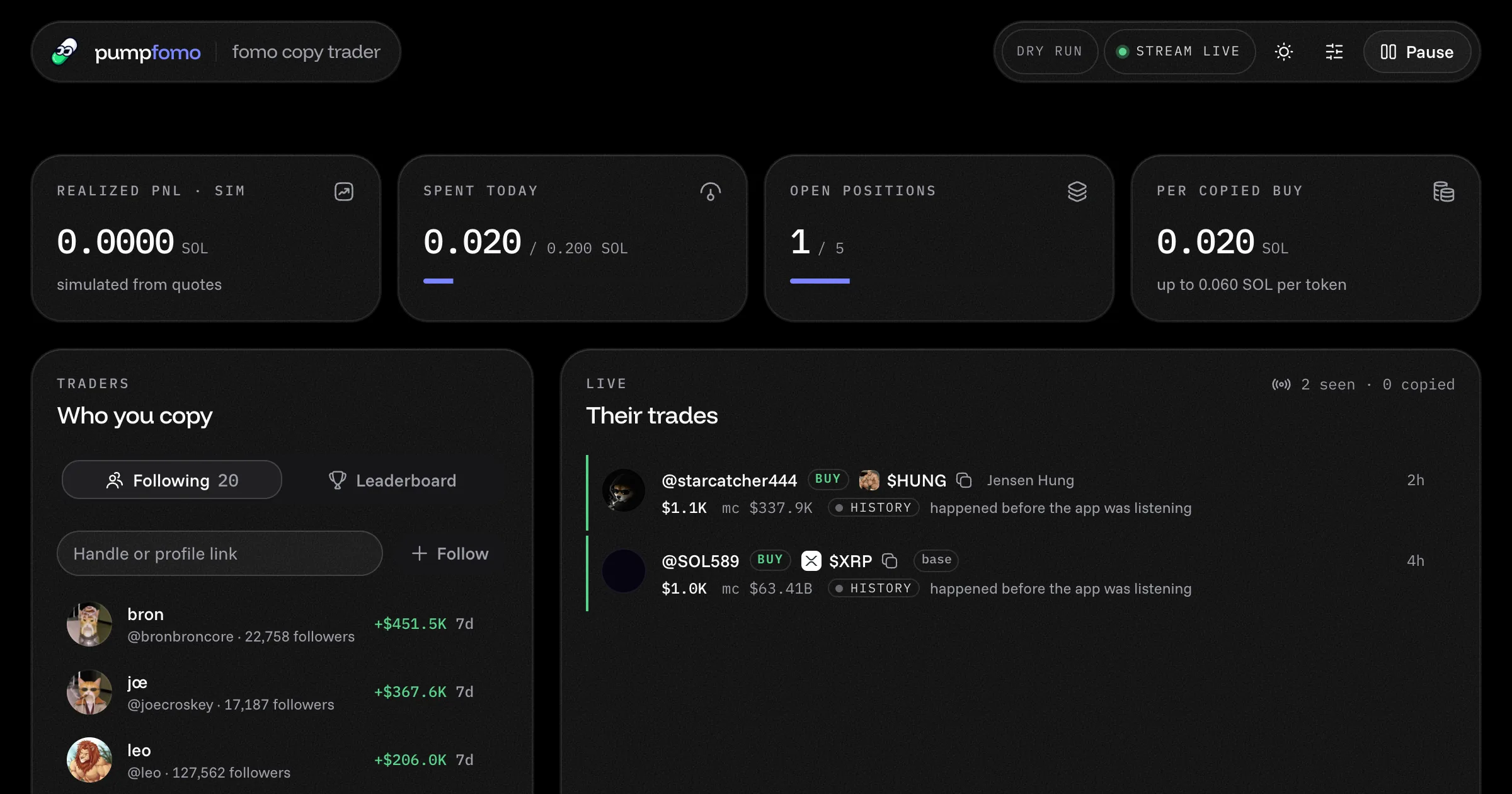
Copy fomo.family's best traders
A ready-made fomo.family copy trading bot. It follows the traders you pick, copies their Solana buys and sells within your limits, and shows everything on a live dashboard. Open source, with a live demo.
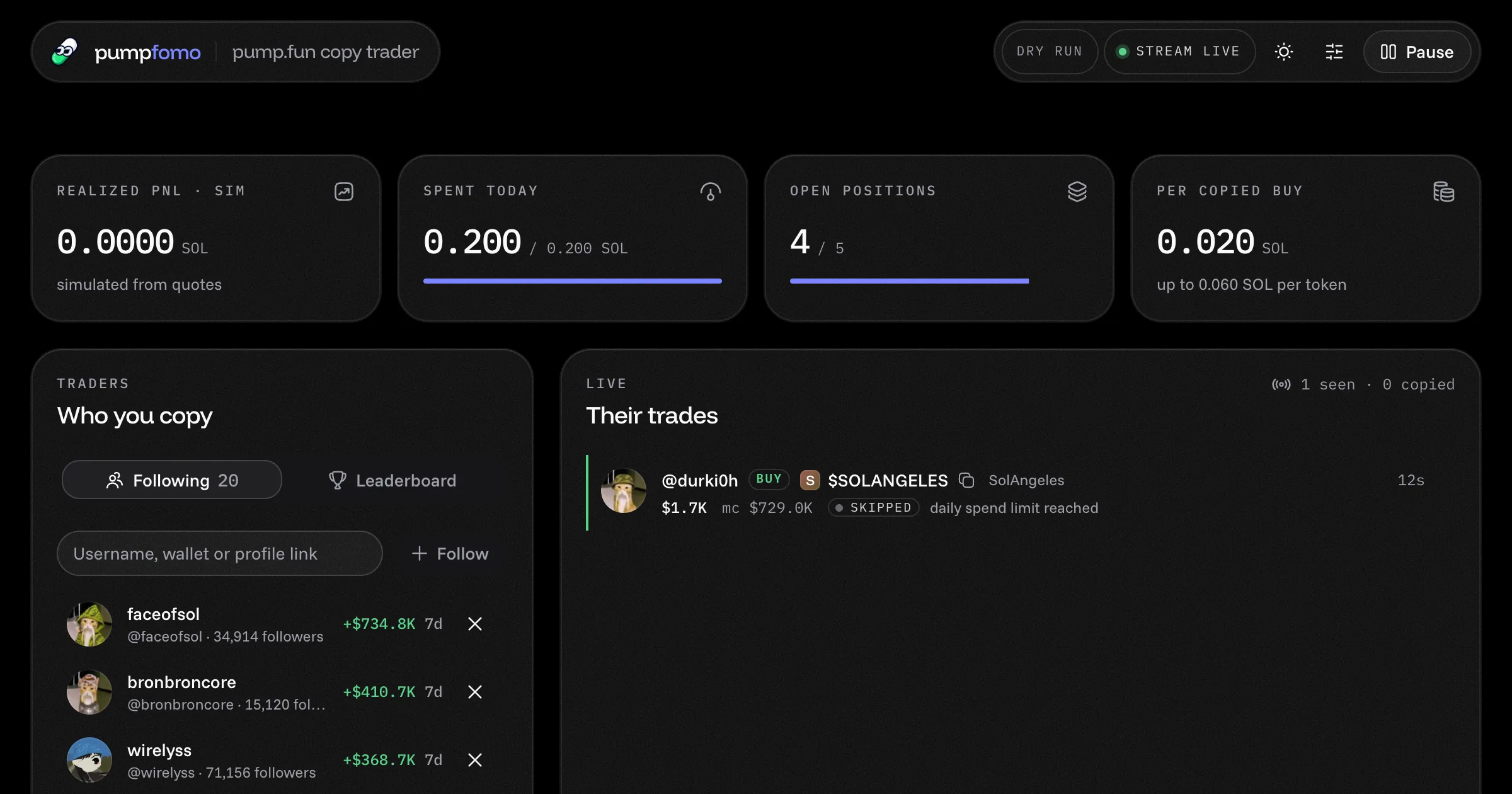
Copy pump.fun's top traders
A ready-made pump.fun copy trading bot. Follow traders by username or wallet, copy their Solana buys and sells within your limits, and watch their PnL and trades on a live dashboard. Open source, with a demo.
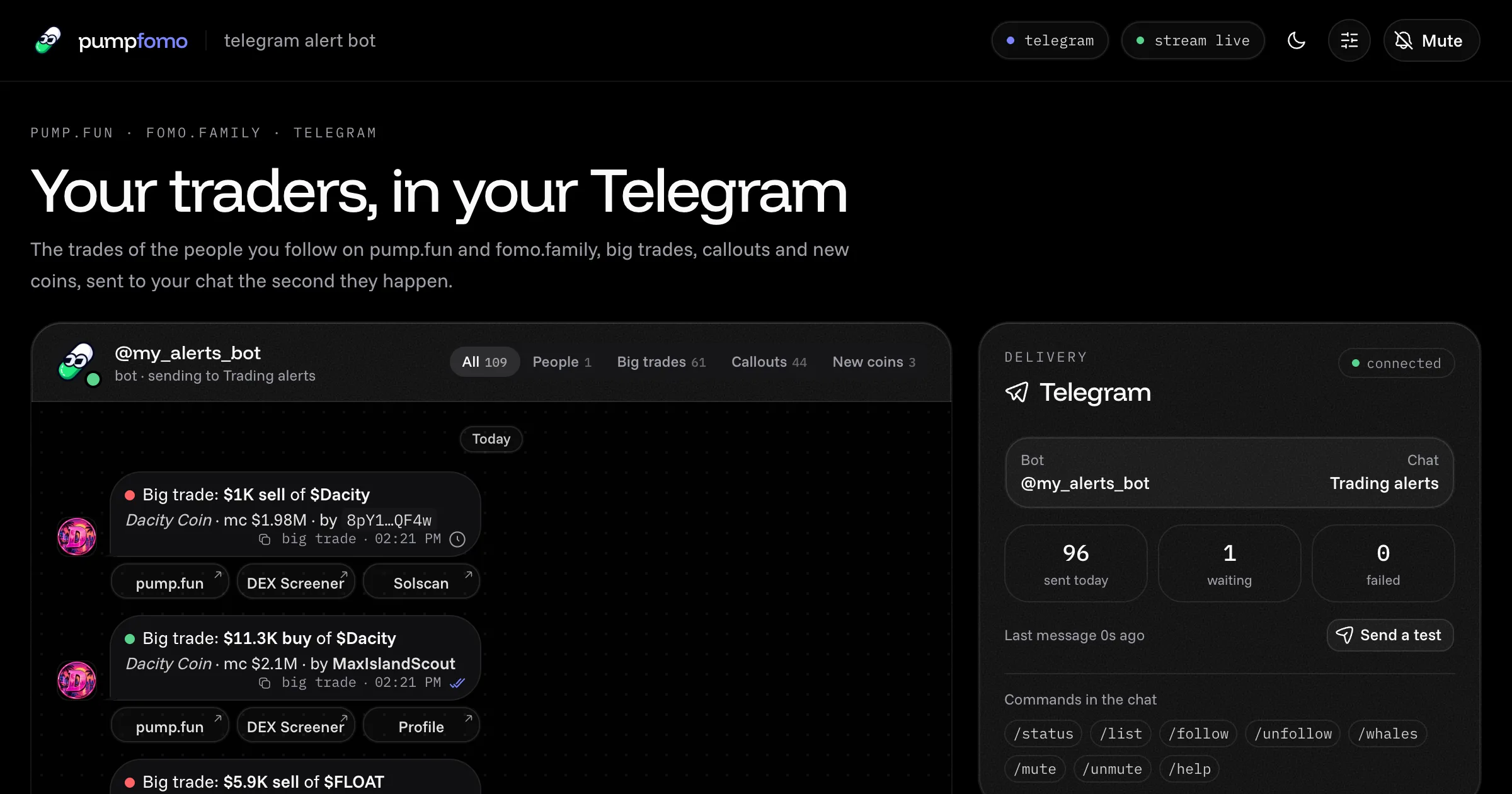
Your traders, in your Telegram
A ready-made Telegram bot that alerts you the moment the traders you follow buy or sell on pump.fun or fomo.family, plus big trades, callouts and new coins. Commands in the chat, a live dashboard, open source, with a demo.
Watch any pump.fun wallet trade
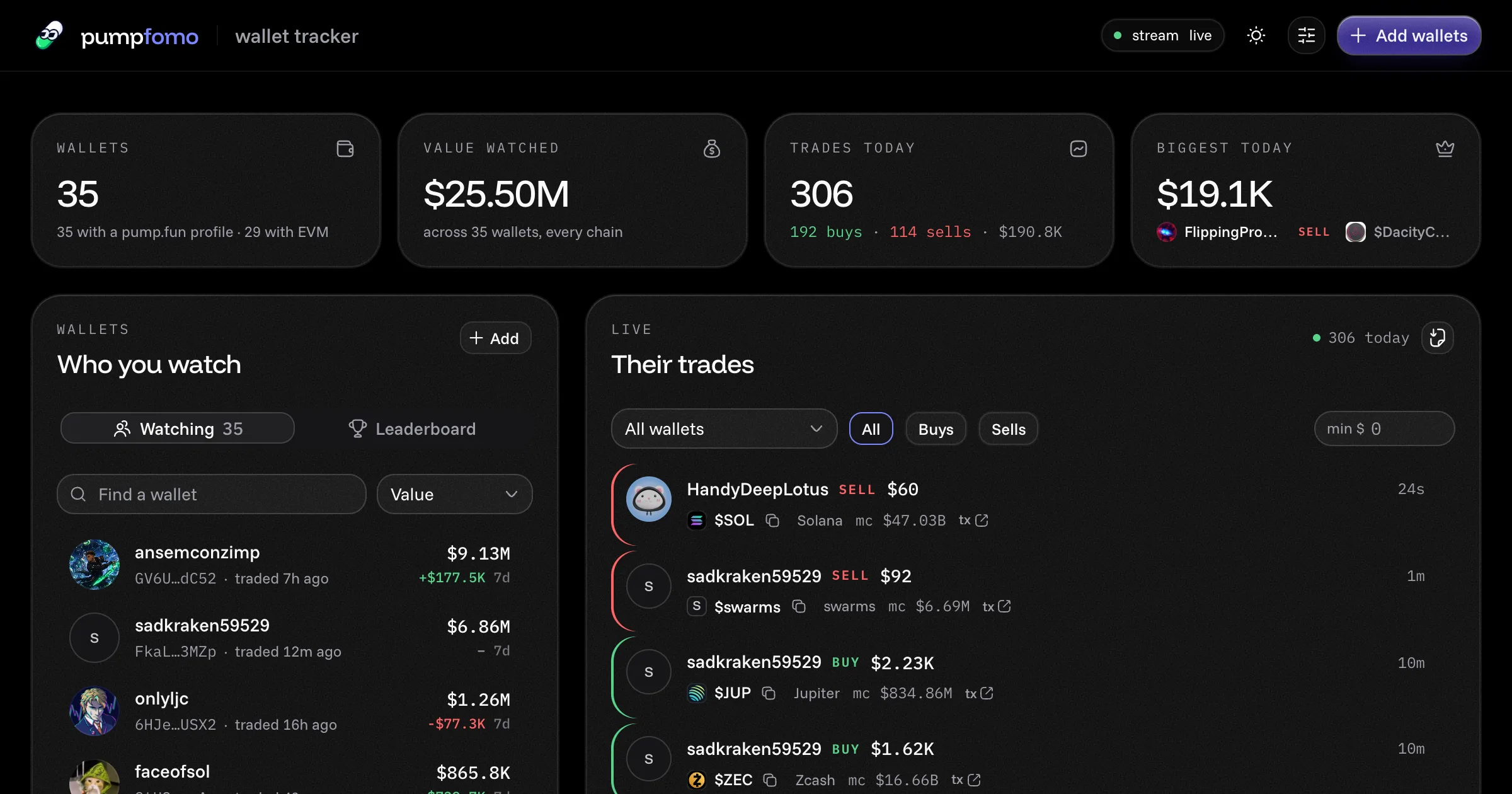
A ready-made pump.fun wallet tracker. Watch any Solana or EVM wallets, see every trade they make within a second, with each wallet's value, 7-day PnL and holdings. Open source, with a live demo.